This is a small problem with a specific cause. A .qbo file is an ordinary OFX statement with a handful of Intuit identification tags added to it, and those tags are what other accounting software objects to. The transactions inside are standard. The wrapper says QuickBooks, and packages that are not QuickBooks either refuse the file or read it badly.
You end up holding one of two ways. Either your bank's download page offers "QuickBooks" as its only structured export, which happens more often than it should, or you have an archive of Web Connect files from a period when the business was on QuickBooks Desktop and has since moved to Xero, Sage, or something else. In both cases the data is fine and the branding is the obstacle.
Ledger Tome reads the QBO and writes a plain OFX with the Intuit tags removed. It is a short conversion and this is a short page, because there is genuinely not much more to it than that.
Why Other Software Won't Take a QBO File
The obstacle is identification, not structure:
Intuit branding tags
A QBO carries FID and INTU.BID identification that marks it as QuickBooks-bound. Other software either rejects it or handles it inconsistently.
The bank chose the format
Some export pages offer "QuickBooks" as the only structured download, regardless of what you actually run.
Archives outlive software
Files downloaded during a QuickBooks era stay in the format they were downloaded in, long after the business has moved on.
The name is confusing
QBO the file format is not QuickBooks Online the product, which sends people looking for the wrong solution.
Underneath the tags it is standard OFX, which is why this converts cleanly rather than being a real translation.
QBO and OFX: What Actually Differs
Both are OFX 1.x statement documents. The difference is a small identification block.
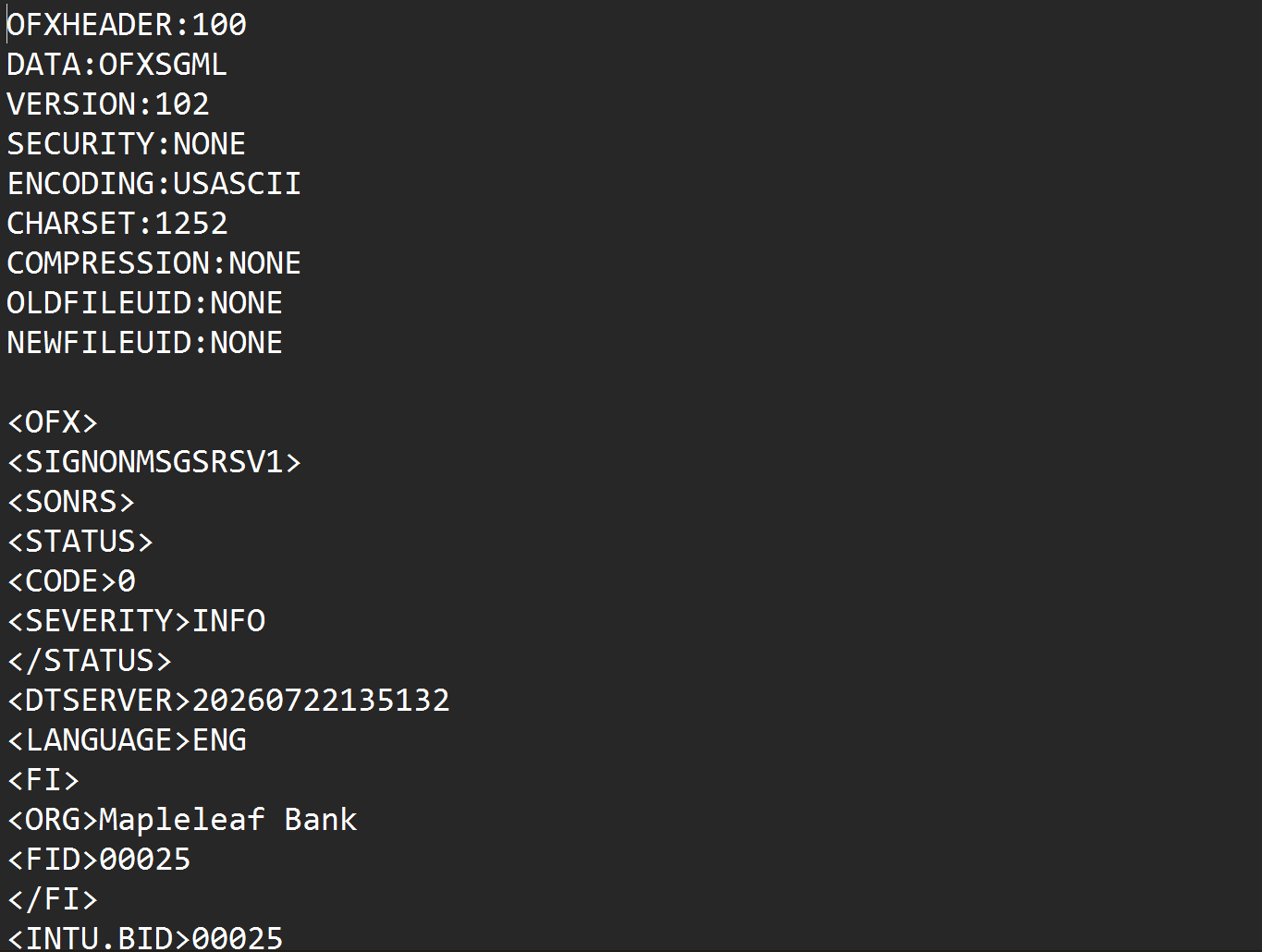
A plain OFX file identifies the account and the institution in general terms. A QBO adds Intuit's FID field inside that institution block plus the INTU.BID branding identifier, which QuickBooks Desktop checks when it imports. Everything else, the statement structure, the transaction records, the dates, amounts, payees, and memos, follows the same OFX conventions in both files. Converting means reading the statement and writing it back without the Intuit block.
Worth clearing up: a .qbo file is a Web Connect statement for QuickBooks Desktop. It is not connected to QuickBooks Online, which is a product rather than a file format. If you are searching because you want to get data out of QuickBooks Online, that is a different task entirely.
Everything that matters transfers, because almost nothing has to change. Dates, amounts, payees and memos joined into full descriptions, the account and its type, the currency, and the ledger balance all carry across. Credit card statements keep their sign handling. Each transaction in the output carries a stable identifier, so importing the same file twice into software that checks them will not duplicate anything.
Just want to read the file rather than import it? See QBO to CSV . Going the other way, into QuickBooks Desktop? See OFX to QBO .
Common Ways to Use a QBO File Outside QuickBooks
Try Importing It Anyway
Some software tolerates the Intuit tags and some does not. Worth one attempt before doing anything else, since it costs a minute.
Rename the File to .ofx
The extension is not the problem, the tags inside are. Software that inspects the contents will still object.
Edit the Tags Out by Hand
Technically possible in a text editor if you know precisely which lines to remove, and easy to corrupt the file while doing it.
Automated QBO to OFX Conversion
Reads the Web Connect file and writes a clean OFX without the Intuit block. Free to start.
QBO to OFX: Method Comparison
| Method | Time Required | Accuracy | Best For | Cost |
|---|---|---|---|---|
| Import as-is | Instant | Depends on the software | Worth trying first | Free |
| Renaming the file | Instant | Usually still rejected | Nothing reliable | Free |
| Hand-editing tags | 10 minutes, risky | Easy to corrupt | Confident text editors | Free |
| Ledger Tome | Under a minute | Clean OFX, IDs preserved | Any QBO, QFX, or OFX file | Free to start |
Why automated conversion wins: the file comes out valid, which hand-editing does not reliably manage.
How Ledger Tome Converts QBO to OFX
Ledger Tome parses Web Connect files natively and writes plain OFX.
Upload
Upload your .qbo file
Native Parsing
The OFX structure decoded; dates, amounts, and split descriptions normalized
Review & Edit
Check every transaction in an interactive preview
Download OFX
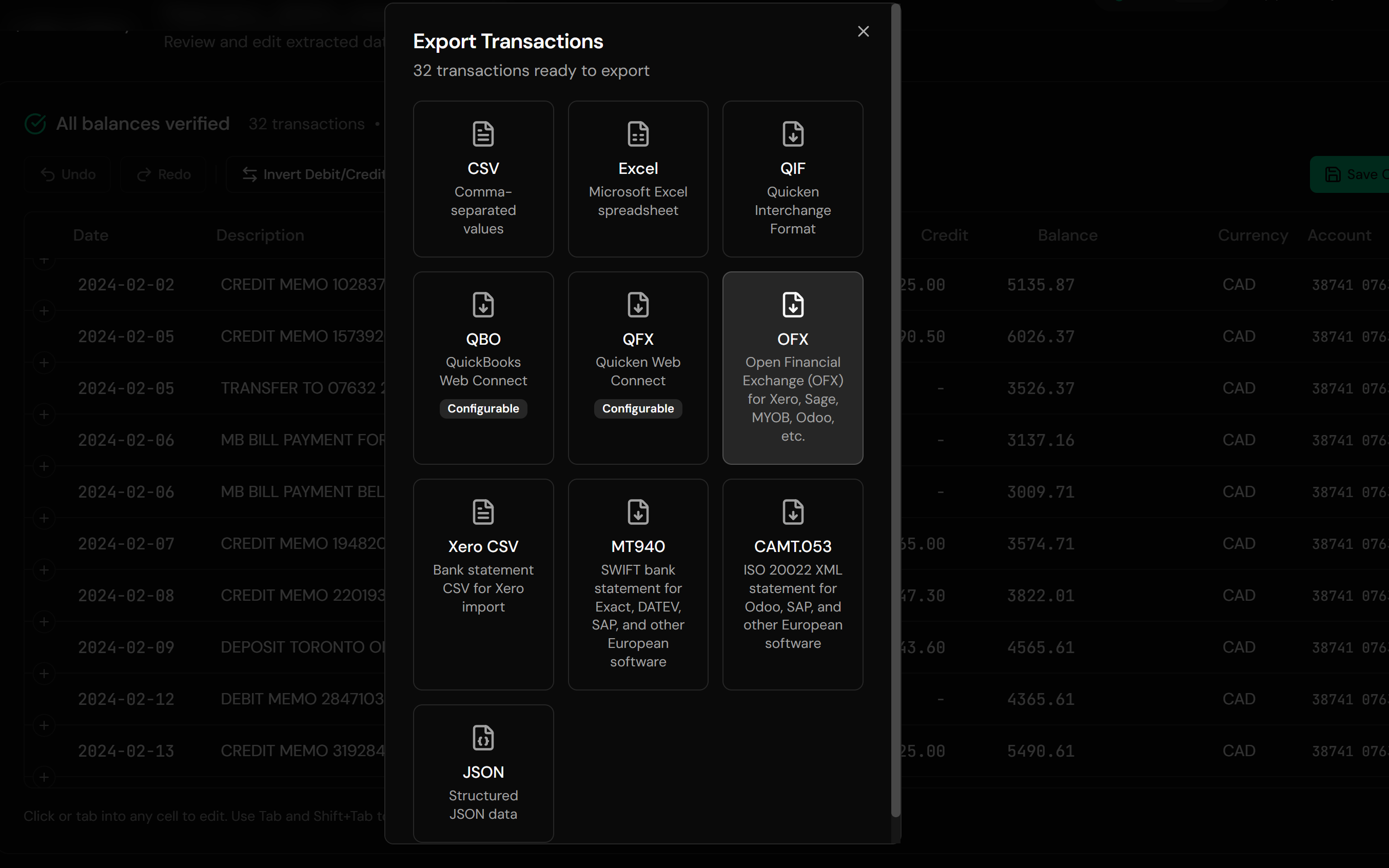
A standard OFX file with no Intuit tags
The output is standard OFX 1.02 with the Intuit identification block omitted, so software that objected to the QuickBooks branding has nothing left to object to. Every transaction keeps a stable identifier derived from its date and position. Credit card statements are recognized and their sign convention decoded, so charges and payments stay the right way around.
From Web Connect to Plain OFX
Before: QBO With Intuit Tags
After: Plain OFX
Use Cases for QBO to OFX Conversion
The Bank Only Offers QuickBooks Downloads
A structured export you cannot otherwise use.
Moving Off QuickBooks Desktop
An archive of Web Connect files following the business somewhere else.
Importing Into Xero or Sage
Where plain OFX is the expected format.
GnuCash and HomeBank
Free-software tools that read OFX properly.
Bookkeepers Receiving QBO Files
Client files in a format the practice does not run.
Historical Backfill
Old Web Connect downloads loaded into current software.
Who QBO to OFX Conversion Is For
This type of conversion is commonly used by:
Businesses That Left QuickBooks
With an archive still in Intuit's format.
Xero & Sage Users
Whose bank offers the wrong structured download.
GnuCash & HomeBank Users
Preferring a clean OFX to a branded one.
Bookkeepers With Mixed Clients
Files arriving in whatever the bank offered.
Anyone Handed a .qbo File
Without QuickBooks to open it.
People Consolidating Archives
Standardizing a folder of mixed formats.
Related Converters
Ledger Tome supports multiple input and output formats. Choose the one that fits your workflow:
The other direction, into QuickBooks Desktop.
Reading Web Connect files in a spreadsheet.
The Quicken-flavored equivalent.
A common destination for the converted file.
Statements that only exist as PDFs.
What Ledger Tome Does Not Do
For clarity and transparency, Ledger Tome does not:
- Access bank accounts directly
- Initiate or modify transactions
- File taxes or submit reports
- Replace accounting software
- Categorize transactions automatically
It focuses solely on converting statement data into structured, accounting-ready formats.
Security & Privacy
Your Financial Data is Protected
We take statement security seriously. Here's how we protect your data:
-
Encrypted in transit and at rest
TLS on everything moving in or out, AES-256 on anything stored
-
No one reads your statements
Conversion is automated end to end. A person only ever sees a document if you send it in yourself on a conversion that failed
-
Automatic Deletion
All uploaded files are permanently deleted after 7 days (or immediately upon request)
-
No Training Data
Your statements are never used to train AI models or shared with third parties
-
No Account Access
We never access your bank account directly or store your banking credentials
-
GDPR Compliant
Full compliance with data protection regulations
-
No Permanent Storage
We don't maintain a database of your financial information
Privacy First: We process your data solely for conversion purposes. No marketing, no data selling, no third-party sharing.
Frequently Asked Questions
How do I convert a QBO file to OFX?
What's actually different between QBO and OFX?
Can I just rename the file to .ofx?
Is QBO the same as QuickBooks Online?
Which software accepts the converted OFX?
Does anything get lost?
Does it work with .qfx files too?
Are credit card statements handled correctly?
Will importing the converted file twice duplicate transactions?
My bank only offers a QuickBooks download. Is that normal?
Can I edit the data before downloading?
How much does it cost?
Troubleshooting Common Issues
The software still rejected the file
Check the .ofx extension survived the download and that the currency matches the account you are importing into. If it worked in QuickBooks and not elsewhere, the destination may have its own requirements beyond the format.
Transactions went to the wrong account
Confirm the target account during your software's import rather than letting it default.
Amounts have flipped signs
Bank and credit card files use opposite conventions. The preview shows the interpreted sign per transaction; correct it there before export.
Some transactions were skipped
Entries without a posted date cannot be placed and are skipped with a warning stating how many.
The file isn't recognized as a QBO
Confirm it contains an OFX header or an OFX tag near the top. Some banks label other exports as QuickBooks files without them being Web Connect statements.
Summary
A QBO file is a plain OFX statement wearing Intuit branding, and that branding is the only reason other accounting software turns it away. Converting removes the identification block and leaves everything else untouched, including the transaction identifiers that keep imports from duplicating. It is a small conversion, and it is the difference between a structured download you can use and one you cannot.
If you have Web Connect files and no QuickBooks, Ledger Tome converts them in under a minute.
Ready to Convert Your QBO Files?
Stop being locked out of your own bank download by a branding tag. Convert your first QBO file to OFX in minutes.
Used by businesses on Xero, Sage, GnuCash, and anyone without QuickBooks