Banking standards are regional in a way that becomes obvious the moment you cross a border. In Switzerland, Germany, and much of the eurozone, CAMT.053 is simply what a bank statement is: ISO 20022 XML, structured, complete, and increasingly the only download on offer. Meanwhile Xero, Sage, and most of the anglosphere cloud accounting world were built around OFX, and have no idea what a CAMT file is.
If you bank in one of those countries and run one of that software, you are standing exactly on the seam. Neither side is behind the times. CAMT.053 is a modern standard, OFX is a well-supported one, and they were designed by different parts of the industry for different markets. That is not much comfort when your bank hands you an XML file and Xero refuses to look at it.
Ledger Tome reads the CAMT.053 and writes an OFX. This page covers what transfers between the two, why OFX's transaction identifiers make bank reconciliation in Xero considerably safer than a CSV, and how to make this a routine monthly step.
Two Modern Standards That Don't Meet
Neither format is obsolete. They just come from different parts of the world:
CAMT.053 is the European standard
ISO 20022 XML, standard across Switzerland and much of the eurozone, and often the only format a bank still offers.
OFX is the anglosphere standard
Xero, Sage, MYOB, and most cloud accounting tools import OFX and expect it for clean bank reconciliation.
No overlap in support
Xero has no CAMT import. European banks have no reason to produce OFX. Neither side is going to add the other.
CSV is the tempting fallback
It works, and it throws away the transaction identifiers that stop your bank reconciliation duplicating entries.
The conversion is straightforward, and choosing OFX over CSV is what keeps reconciliation clean on the far side.
Why Convert to OFX Rather Than CSV?
Xero accepts both. They do not behave the same during reconciliation.
OFX (recommended)
Every transaction carries a unique identifier. Xero uses it to recognize entries it has already imported, so an overlapping period, a re-uploaded file, or a bank feed that later covers the same dates will not produce duplicates. Dates are encoded unambiguously and the account and currency travel with the file.
CSV (works, riskier)
A flat table with no identifiers. Xero has no way to tell a genuinely new transaction from one it already has, so overlapping imports need care from you. Fine for a single clean import, less good as a monthly habit.
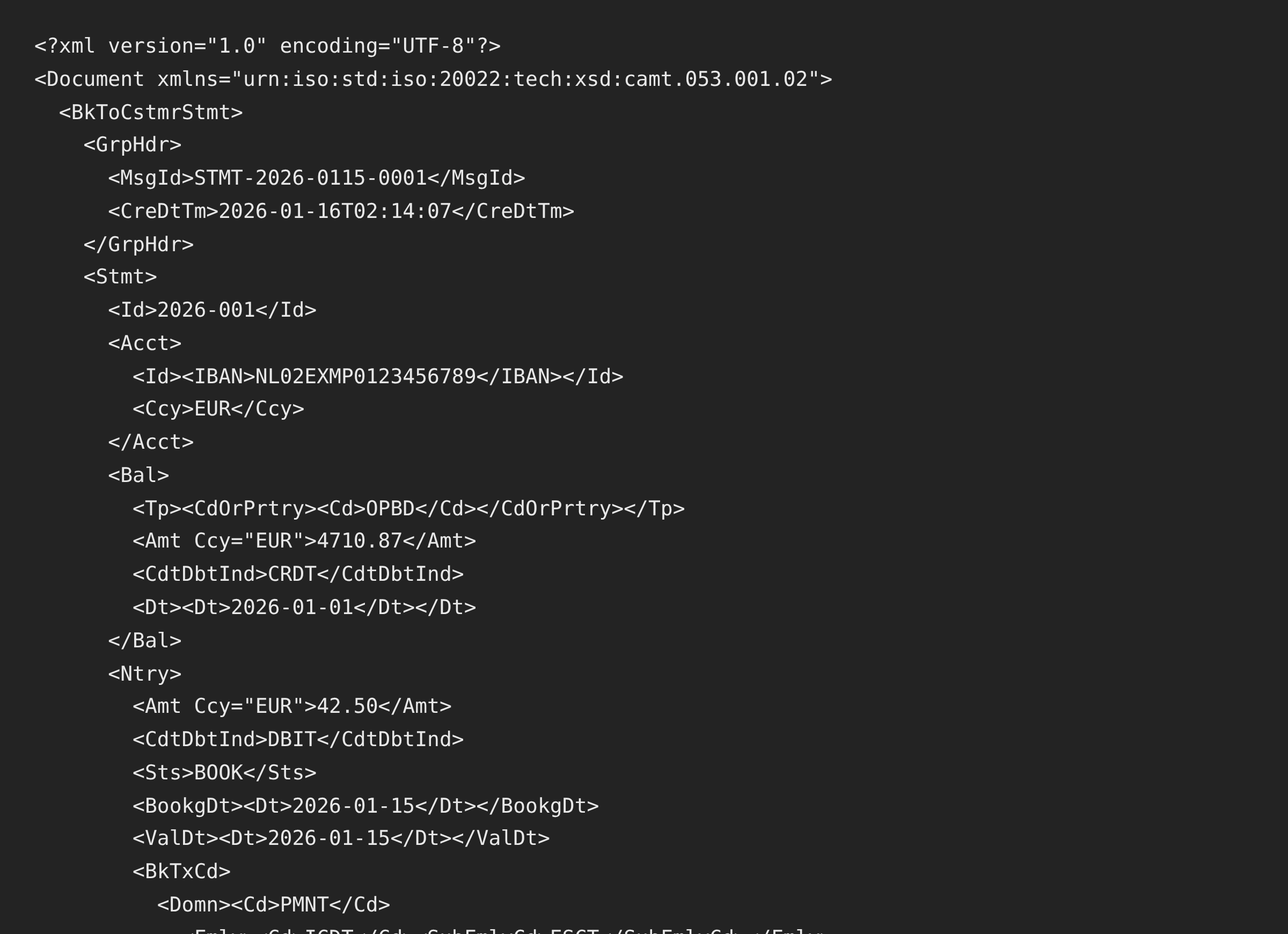
CAMT.053 is a richer format than OFX, so some detail flattens on the way across. Dates, amounts, direction, descriptions, the account, the currency, and the opening and closing balances all transfer. CAMT's structured remittance information is joined into the description text rather than kept in separate fields, and its detailed bank transaction codes have no OFX equivalent. For bank reconciliation, which runs on dates, amounts, and enough description to identify a payment, everything that matters survives.
Prefer the statement in a spreadsheet? See CAMT.053 to Excel . Feeding older European software instead? See CAMT.053 to MT940 . The full Xero guide is at Import into Xero .
Common Ways to Get CAMT Data Into Xero
Ask the Bank for OFX
European banks generally have no OFX option at all, because their market never used it. Worth a look, rarely fruitful.
Export CSV and Import That
Workable, and it discards the transaction identifiers that keep reconciliation clean. Acceptable once, awkward monthly.
Write an XSLT Transform
CAMT to OFX transforms exist, including a free one or two, and they need maintaining against CAMT version variations and Xero's expectations.
Automated CAMT.053 to OFX Conversion
Reads any CAMT.053 version and writes OFX with duplicate-safe transaction IDs. Free to start.
CAMT.053 to OFX: Method Comparison
| Method | Time Required | Accuracy | Best For | Cost |
|---|---|---|---|---|
| Bank OFX download | Instant, if offered | Native | Almost no European bank | Free |
| CSV import | Minutes | No duplicate protection | A single one-off import | Free |
| Custom XSLT | Days to build, ongoing upkeep | As good as your tests | Teams with developers | Your time |
| Ledger Tome | Under a minute | Duplicate-safe IDs, balances verified | Any CAMT.053 version | Free to start |
Why automated conversion wins: it takes a minute, and the transaction IDs mean an accidental re-import costs you nothing.
How Ledger Tome Converts CAMT.053 to OFX
Ledger Tome parses ISO 20022 statements natively and writes the OFX cloud accounting software expects.
Upload
Upload your CAMT.053 .xml file
XML Parsing
Entries, balances, and remittance information read from the statement structure
Review & Verify
Check every entry and confirm the balances reconcile
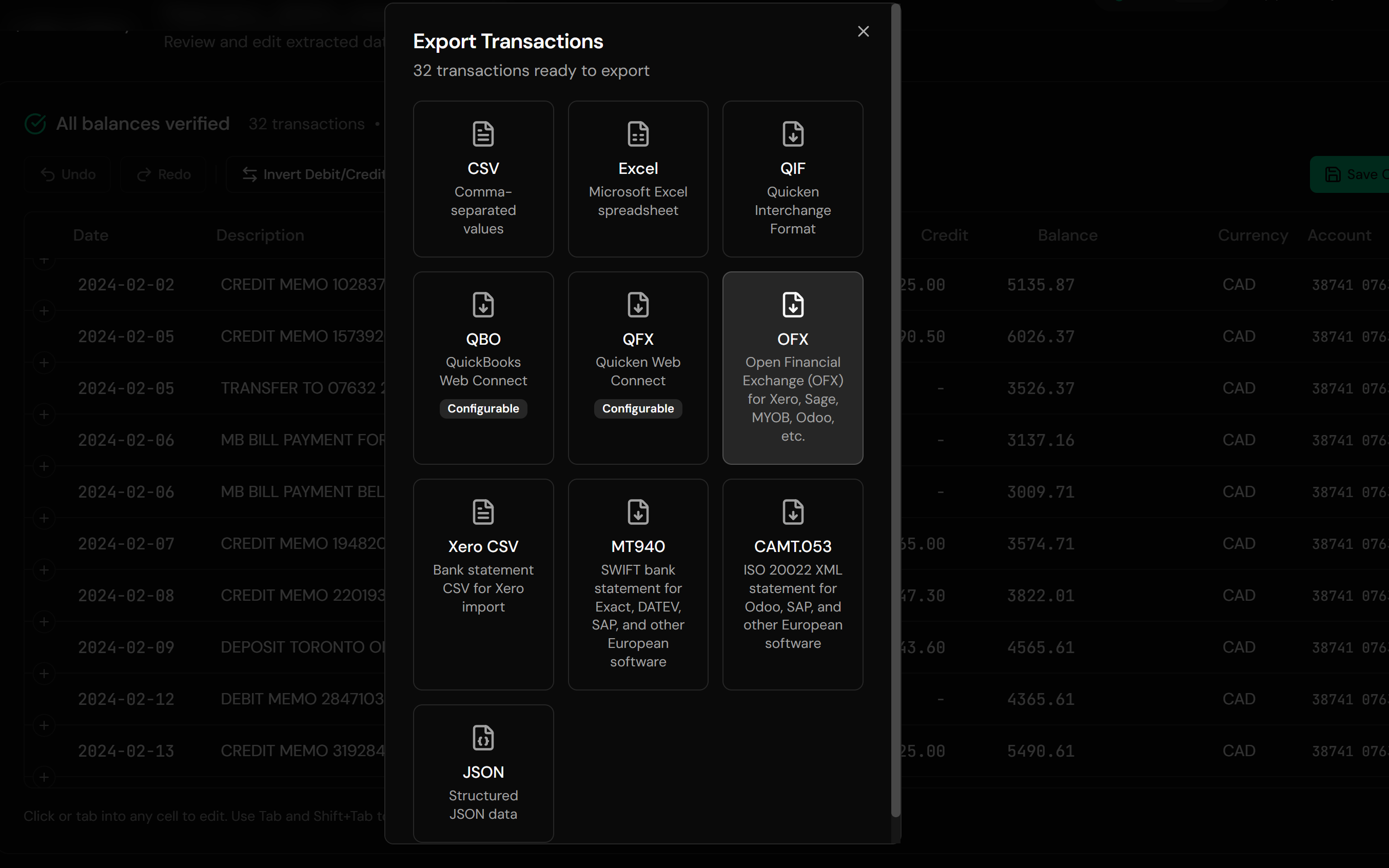
Download OFX
A standard OFX statement file
Any camt.053.001.0x version parses regardless of how the namespaces are prefixed, and files without an extension are identified by content. The account is read IBAN-aware, and opening and closing balances are checked against the entries; where they disagree, balances are omitted with a warning rather than presenting numbers the file does not support. Every transaction in the OFX gets a stable identifier derived from its date and position, so re-exporting the same statement produces the same IDs and Xero keeps recognizing them.
From ISO 20022 XML to a File Xero Accepts
Before: CAMT.053 XML
After: Standard OFX
Use Cases for CAMT.053 to OFX Conversion
Swiss Businesses on Xero
CAMT is the local standard and Xero is the chosen software.
Eurozone Accounts, Anglosphere Software
The seam that this conversion exists to cross.
Subsidiaries Reporting Into Group Systems
Local banking, group-standard accounting.
English-Speaking Owners Abroad
Running familiar software in a CAMT-standard country.
Accounts Without a Xero Feed
Where direct bank connections are unavailable.
Monthly Reconciliation
The same conversion each month, in under a minute.
Who CAMT.053 to OFX Conversion Is For
This type of conversion is commonly used by:
Swiss Small Businesses
Where CAMT.053 adoption is furthest along.
German & Austrian Businesses on Xero
Local banks, international software.
Bookkeepers With Cross-Border Clients
Handling both banking worlds at once.
Subsidiary Finance Teams
Local accounts feeding a group standard.
Sage Users in CAMT Countries
The same problem, a different destination.
Anyone Standing on the Seam
Modern bank, modern software, no shared format.
Related Converters
Ledger Tome supports multiple input and output formats. Choose the one that fits your workflow:
Reading CAMT files in a spreadsheet.
For older European software instead.
Statements that only exist as PDFs.
The full Xero import guide.
Producing CAMT files rather than reading them.
Bank still on the older SWIFT format? The MT940 version.
What Ledger Tome Does Not Do
For clarity and transparency, Ledger Tome does not:
- Access bank accounts directly
- Initiate or modify transactions
- File taxes or submit reports
- Replace accounting software
- Categorize transactions automatically
It focuses solely on converting statement data into structured, accounting-ready formats.
Security & Privacy
Your Financial Data is Protected
We take statement security seriously. Here's how we protect your data:
-
Encrypted in transit and at rest
TLS on everything moving in or out, AES-256 on anything stored
-
No one reads your statements
Conversion is automated end to end. A person only ever sees a document if you send it in yourself on a conversion that failed
-
Automatic Deletion
All uploaded files are permanently deleted after 7 days (or immediately upon request)
-
No Training Data
Your statements are never used to train AI models or shared with third parties
-
No Account Access
We never access your bank account directly or store your banking credentials
-
GDPR Compliant
Full compliance with data protection regulations
-
No Permanent Storage
We don't maintain a database of your financial information
Privacy First: We process your data solely for conversion purposes. No marketing, no data selling, no third-party sharing.
Frequently Asked Questions
How do I import a CAMT.053 statement into Xero?
Why not just use CSV?
Which CAMT.053 versions are supported?
What gets lost in the conversion?
Will importing the same file twice duplicate transactions?
Does this work for Sage as well as Xero?
My file has several statements in it.
The file has no extension. Does that matter?
Will the balances be correct?
Does this work for credit card accounts?
Can I get the data in Excel too?
How much does it cost?
Troubleshooting Common Issues
Xero rejected the OFX
Check the .ofx extension survived the download and that the currency matches the Xero bank account you are importing into.
Transactions went to the wrong account
Confirm the target account during Xero's import rather than letting it default. The account identification comes from the CAMT file's IBAN.
Balances are missing from the output
This happens deliberately when the entries do not reconcile against the stated closing balance. Check the source file rather than the conversion.
Descriptions look merged
CAMT's structured remittance fields are joined into one description, since OFX has no equivalent structure. Edit them in the preview if you need them shorter.
Duplicates after a feed was connected
If a Xero bank feed later covers a period you imported, the transaction identifiers should prevent duplication. Where a feed generates its own IDs, remove the overlapping imported batch instead.
Summary
CAMT.053 and OFX are both current standards that simply serve different markets, which leaves businesses banking in Switzerland or the eurozone and running Xero with two modern formats and no common ground. Converting to OFX rather than CSV keeps the transaction identifiers that make monthly reconciliation safe, and carries dates, amounts, descriptions, and verified balances across intact.
If your bank sends CAMT.053 and your accounting software wants OFX, Ledger Tome converts it in under a minute.
Ready to Get Your Statements Into Xero?
Stop being caught between European banking and anglosphere accounting software. Convert your first CAMT.053 file to OFX in minutes.
Used by Swiss, German, and Austrian businesses on Xero and Sage