Dutch and German accounting software runs on MT940: Exact, Twinfield, SnelStart, and plenty of DATEV and SAP workflows import the SWIFT statement format and nothing looser. Banks, meanwhile, hand out CSV: foreign banks, consumer portals, payment platforms, neobanks. If your software's import dialog wants a .sta file and your download folder holds a .csv, our converter bridges the two in minutes.
The gap is bigger than a file extension. An MT940 is a statement, not a list: it declares an account, an opening balance, entries, and a closing balance the entries must add up to, and importers check. Ledger Tome builds files that honor this arithmetic: the :60F: opening balance plus your transactions always rolls up to the :62F: closing balance when the data you provide is consistent.
This page covers what MT940 requires that CSV doesn't have, how the conversion fills the gap, and the CSV quirks (comma decimals, sign conventions, ambiguous dates) that European exports bring along.
Why Your Software Won't Take the CSV
MT940 importers expect a statement, and a CSV is only a list:
No balances, no statement
MT940 declares opening and closing balances the entries reconcile to. A CSV has rows; the statement structure has to be built around them.
SWIFT's strict conventions
Tagged lines, value dates, debit/credit marks, wrapped description fields with hard length limits. None of it exists in a CSV.
European CSV quirks
Comma decimals, DD-MM dates, semicolon separators, and split debit/credit columns vary by bank and platform.
Importers reject loose files
Exact and Twinfield parse strictly. A near-MT940 with malformed tags or non-reconciling balances fails with terse errors.
The conversion is exactly the kind of pedantry software should handle: strict format out, whatever the bank exported in.
Works With CSV Exports From Any Bank or Platform
Ledger Tome reads CSV and Excel exports from:
Dutch & German Banks
ING, ABN AMRO, Rabobank, bunq, Deutsche Bank, Commerzbank, Sparkassen, N26
Foreign Banks
UK, US, and other banks whose exports need to reach a Dutch or German administration
Payment Platforms
PayPal, Stripe, Adyen and similar exports, converted into importable statements
Different column layout? The converter detects your file's structure automatically, including comma decimals and European date formats.
What Is an MT940 File?
MT940 is the SWIFT customer statement message: tagged text delivering an account's end-of-day statement, and the import standard of Dutch and German accounting software.
Key characteristics of a proper MT940 file:
Starting from a PDF statement instead? See our PDF to MT940 converter . Need to read an MT940 rather than make one? MT940 to Excel .
Common Ways to Get CSV Data Into MT940 Software
Manual Entry
Retype the rows into the administration. Slow, and there's no statement to reconcile against afterwards.
Ask the Bank for MT940
Business-tier Dutch accounts often have it; foreign banks, consumer accounts, and platforms don't and won't.
Hand-Build the .sta File
The SWIFT spec is public and unforgiving: one malformed tag or non-reconciling balance and the import fails.
Automated CSV to MT940 Conversion
Detects your CSV's structure, collects the account and balance details a statement needs, and generates a strict, reconciling .sta file. Free to start.
CSV to MT940: Method Comparison
| Method | Time Required | Accuracy | Best For | Cost |
|---|---|---|---|---|
| Manual entry | 30-60 minutes per file | 70-80% (error-prone) | A handful of rows | Free |
| Bank MT940 export | Minutes | High | Dutch business accounts | Free (if offered) |
| Hand-built .sta | Hours per file | Brittle | Nobody, really | Free |
| Ledger Tome | Under a minute | Balances reconcile by construction | Any CSV, any source | Free to start |
Why automated conversion wins: SWIFT's pedantry gets handled once, in software, instead of once per import error.
How Ledger Tome Converts CSV to MT940
Ledger Tome turns bank and platform CSV exports (and Excel files and PDF statements) into valid MT940 statement files.
Upload
Upload your CSV or Excel export
Automatic Mapping
Columns, date formats, comma decimals, and debit/credit logic detected automatically
Review & Edit
Check transactions, account number, and balances in the preview before export
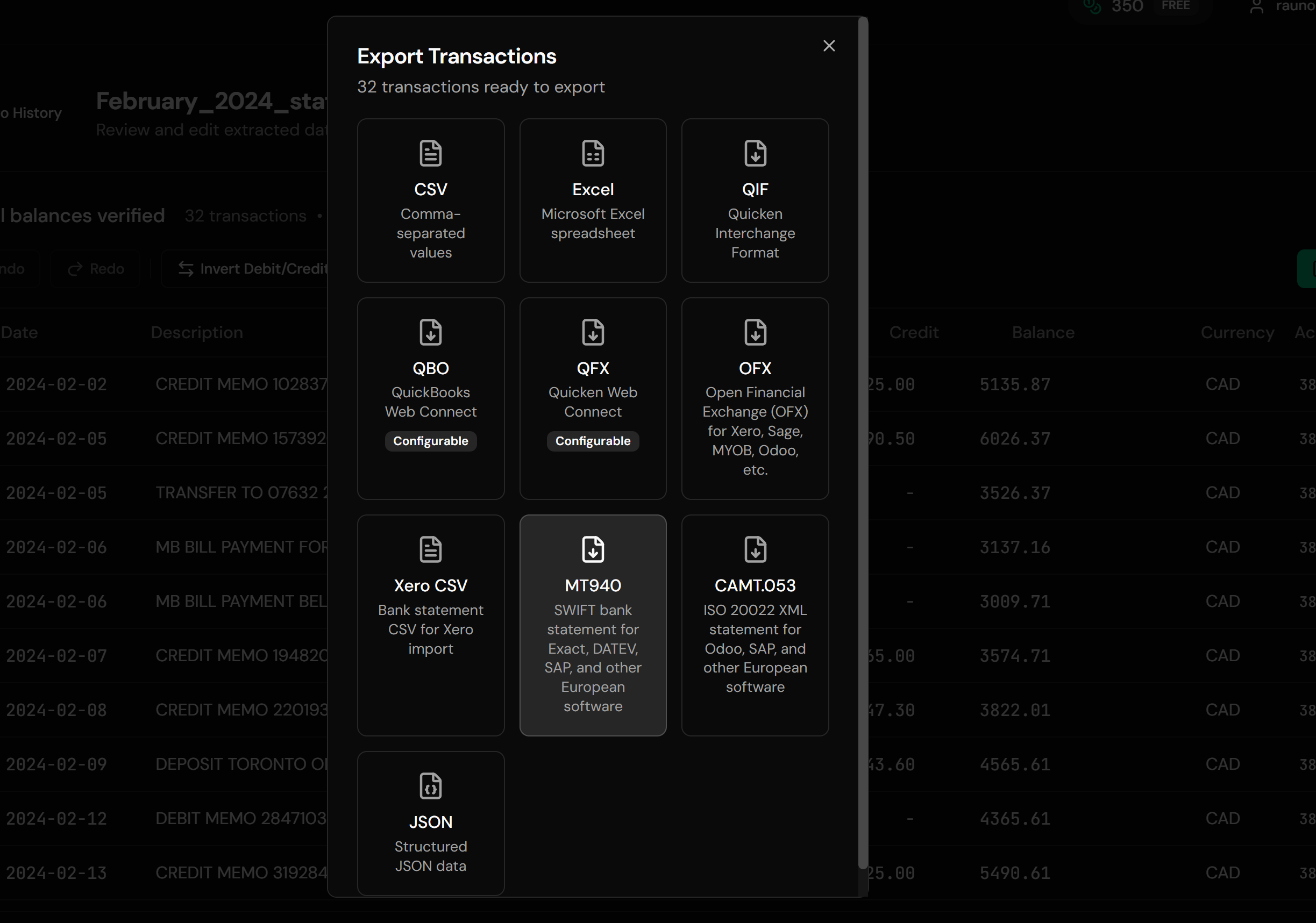
Download MT940
A strict .sta file ready for your software's bank import
The generated statement's opening balance plus its entries always reconciles to its closing balance when your data is consistent, which is precisely what strict importers verify.
From CSV Rows to a SWIFT Statement
Before: Raw CSV
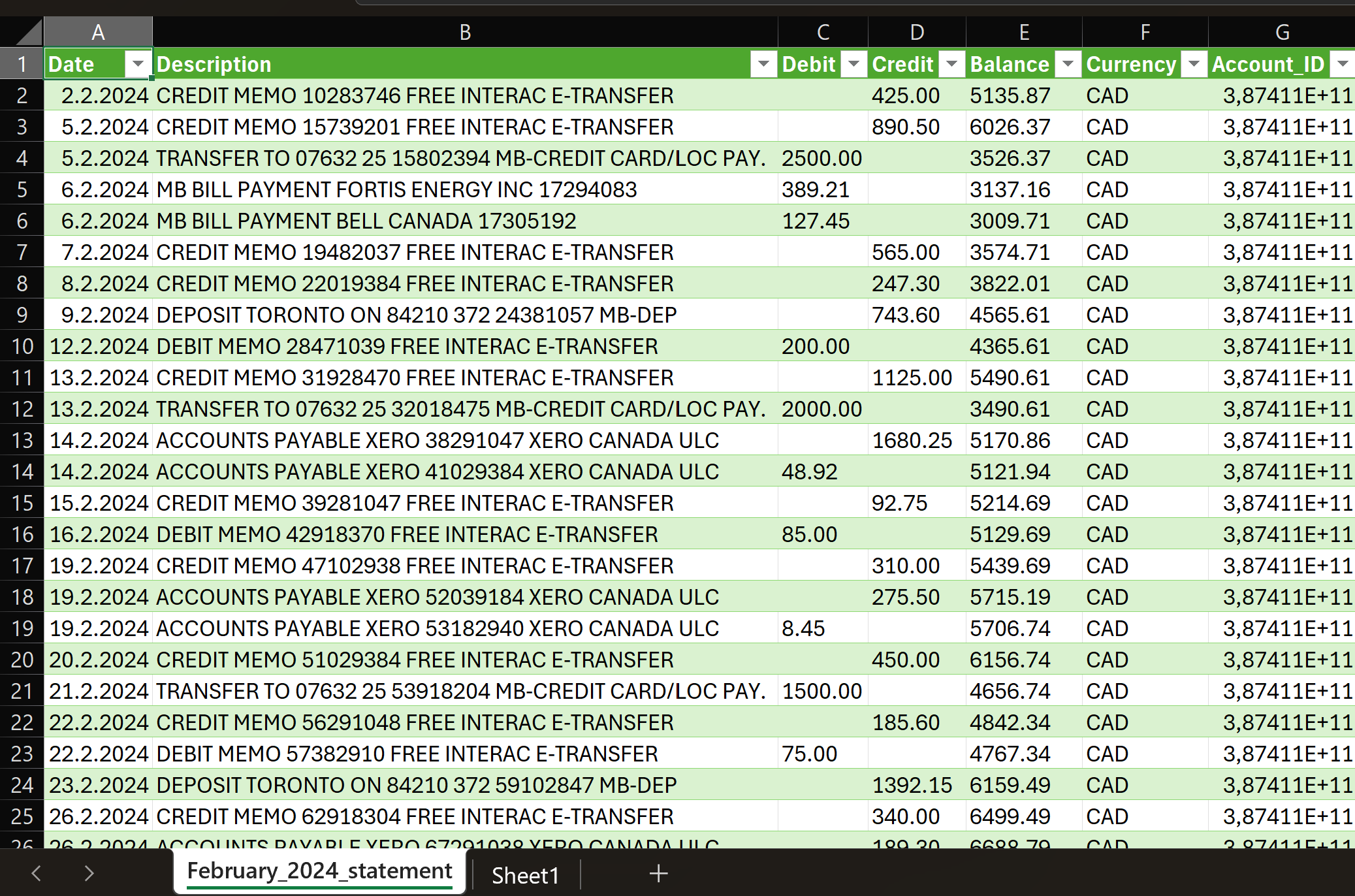
After: Valid MT940
Use Cases for CSV to MT940 Conversion
Foreign Accounts in a Dutch Administration
The UK or US bank will never export MT940. Its CSV can become one.
Payment Platform Statements
PayPal and Stripe activity imported as proper statements instead of journal hacks.
Consumer-Tier Accounts
Portals that export CSV only, feeding software that wants .sta.
Historical Backfill
Periods the bank's MT940 export no longer covers, rebuilt from CSV archives.
Spreadsheet-Kept Books
Cash administrations converted into importable statements.
Migration Cleanups
Normalizing mixed exports into one format the new software imports.
Who CSV to MT940 Conversion Is For
This type of conversion is commonly used by:
Administratiekantoren
Dutch practices feeding Exact, Twinfield, and SnelStart from whatever clients send.
German Accountants
DATEV-centered workflows with MT940 import steps.
SMBs on Dutch Software
Owners bridging their own foreign or platform accounts.
Treasury & ERP Teams
SAP and ERP configurations expecting MT940 feeds.
E-Commerce Businesses
Platform payouts reconciled as statements.
Anyone With a CSV and an MT940 Importer
The exact gap this page closes.
Related Converters
Ledger Tome supports multiple input and output formats. Choose the one that fits your workflow:
The PDF-input sibling of this page.
The reverse: reading MT940 files as spreadsheets.
The full Exact import walkthrough.
Software on ISO 20022 instead? The modern format.
Feeding anglosphere software (Xero, Sage) from the same CSVs.
What Ledger Tome Does Not Do
For clarity and transparency, Ledger Tome does not:
- Access bank accounts directly
- Initiate or modify transactions
- File taxes or submit reports
- Replace accounting software
- Categorize transactions automatically
It focuses solely on converting statement data into structured, accounting-ready formats.
Security & Privacy
Your Financial Data is Protected
We take statement security seriously. Here's how we protect your data:
-
Encrypted Transmission
All uploads use 256-bit SSL encryption (the same security banks use)
-
Secure Processing
Files are processed in isolated, secure environments with no human access
-
Automatic Deletion
All uploaded files are permanently deleted after 7 days (or immediately upon request)
-
No Training Data
Your statements are never used to train AI models or shared with third parties
-
No Account Access
We never access your bank account directly or store your banking credentials
-
GDPR Compliant
Full compliance with data protection regulations
-
No Permanent Storage
We don't maintain a database of your financial information
Privacy First: We process your data solely for conversion purposes. No marketing, no data selling, no third-party sharing.
Frequently Asked Questions
How do I convert a CSV file to MT940?
What does the MT940 need that my CSV doesn't have?
Which software imports the result?
My CSV uses comma decimals and DD-MM dates. Is that a problem?
My bank's CSV has separate debit and credit columns. Does that work?
Can I convert PayPal or Stripe exports?
Will the balances be right?
Can I convert Excel files too?
What extension does the output use?
Is there a Dutch version of this page?
How much does it cost?
Troubleshooting Common Issues
The importer rejects the file
Confirm the software expects MT940 (.sta) and check the account number in the preview matches the administration's account (IBAN for Dutch banks). Contact support with the importer's error if it persists.
Balances flagged on import
The balances supplied did not match the rows (a missing transaction, or a wrong opening balance). Fix either in the preview; the file then reconciles by construction.
Dates look wrong
DD-MM versus MM-DD ambiguity in the source. Re-check the explicit date choice the converter asked for.
Amounts off by factors of ten
Mixed decimal conventions in the source file. The preview shows parsed amounts; correct the decimal convention there.
Descriptions truncated
MT940's :86: field wraps at SWIFT's limits (65 characters, up to 6 lines). Long descriptions wrap rather than disappear; use CAMT.053 output if you need unlimited length.
Summary
Dutch and German accounting software imports MT940, and the modern financial world exports CSV. The distance between them is a statement's worth of structure: account, balances, SWIFT tags, and arithmetic that has to reconcile. Automated conversion supplies all of it, strictly, from any bank or platform's CSV, and the importers stop complaining.
If you have a CSV that needs to be a .sta file, Ledger Tome converts it in under a minute.
Ready to Convert Your CSV to MT940?
Stop retyping foreign and platform accounts into the administration. Convert your first CSV to a valid .sta in minutes.
Used by administratiekantoren, accountants, and European SMBs