Outside the United States, OFX is what a bank download usually looks like. Log into online banking, choose to export transactions, and an .ofx file lands in your downloads folder. It is a perfectly good format, well structured and unambiguous, and quite a lot of accounting software will not touch it. MYOB will, but only alongside QIF. GnuCash and HomeBank prefer QIF for a lot of workflows. Older Quicken installations read QIF and nothing newer.
So the file arrives in one format and has to leave in another, every month, for as long as the bank and the software both stay where they are. Ledger Tome reads the OFX and writes the QIF, keeping every transaction and letting you set the date layout your software expects.
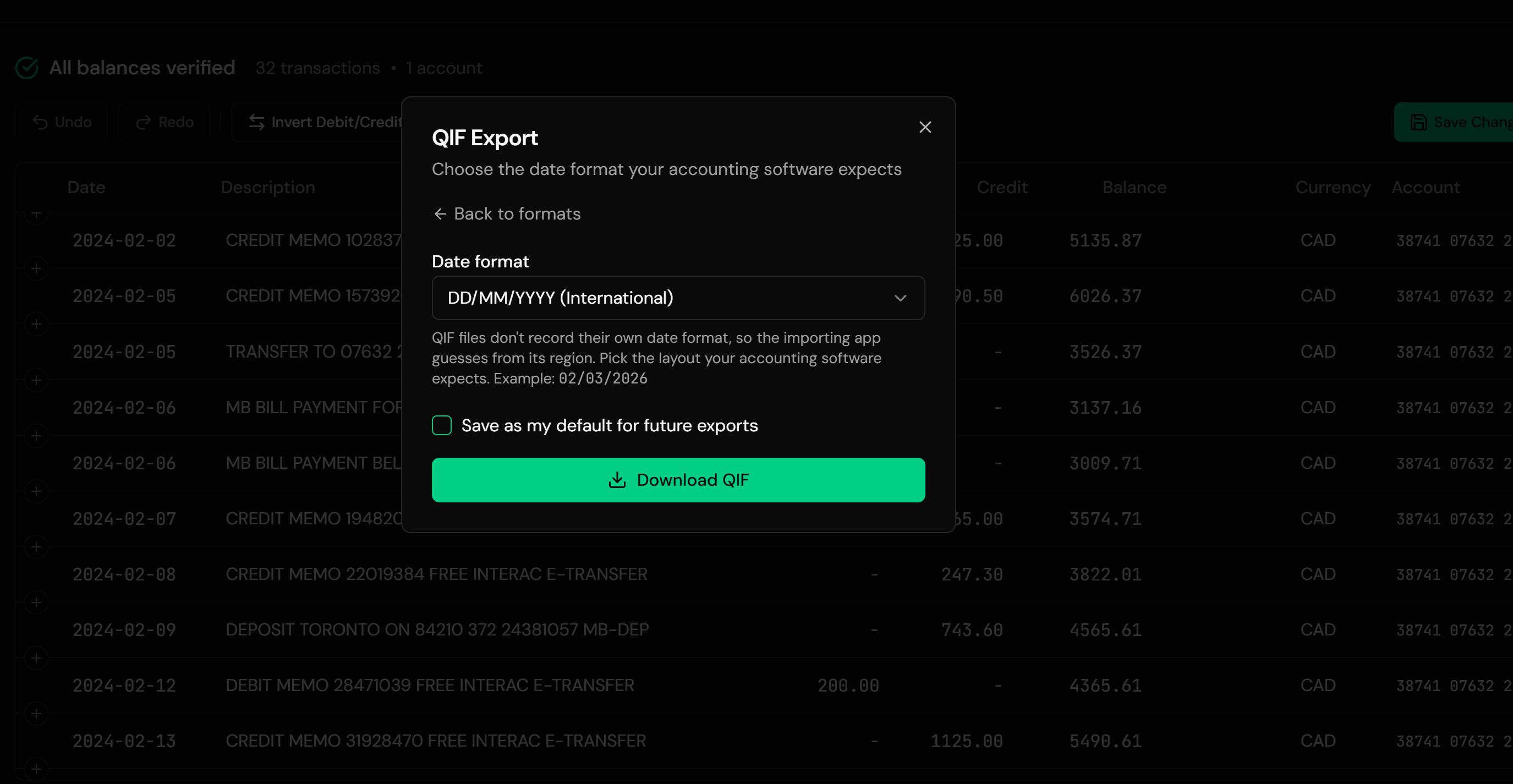
That date choice matters more here than almost anywhere else. QIF records no date format at all, and the software reading it decides using its own assumptions. MYOB's documentation asks for DD/MM/YY. A file written as MM/DD/YYYY imported into a program expecting DD/MM/YYYY produces a year of records where every date before the thirteenth of the month is silently wrong. This page covers how to avoid that, and what else changes between the two formats.
Why the Bank's File and Your Software Disagree
Both formats are fine. The problem is that only one of them is on offer at each end:
Banks export OFX
It is the standard structured download across the UK, Australia, New Zealand, and South Africa. QIF options have largely been retired.
Software still asks for QIF
MYOB accepts QIF, GnuCash and HomeBank import it happily, and older Quicken reads nothing else.
QIF states no date format
The file never records whether 03/04 is the third of April or the fourth of March, so the importer decides. MYOB expects DD/MM/YY.
QIF carries less context
No currency, no account number, no transaction IDs. Some of what the OFX holds has nowhere to go.
The transactions themselves transfer completely. The care goes into the date layout and knowing which extras do not survive.
OFX and QIF: What Survives the Conversion
OFX is a structured, tagged statement format carrying full account context. QIF is a plain-text record list from an earlier generation. Converting narrows what travels, and it helps to know exactly where.
What transfers
- Every transaction's date, amount, and description
- Payee and memo, joined into one complete description
- The account type, including credit card handling
- Running balances, where the source provides them
What doesn't
- Transaction IDs (FITIDs), so QIF imports cannot deduplicate themselves
- Currency, which QIF has no field for
- Bank and account identifiers
- Categories and splits, which Ledger Tome does not write
The missing transaction IDs are the one to plan around. An OFX import can recognize entries it has seen before and skip them; a QIF import cannot, because no QIF file from any source carries the identifiers that would make it possible. Import each period once and keep a note of what has been loaded.
Software that takes OFX directly? You may not need this conversion at all. See Import into Xero and Import into Sage . Just want to read the file? See OFX to CSV .
Common Ways to Get OFX Data Into QIF-Only Software
Ask the Bank for QIF
Worth checking the export page once. Most banks retired QIF years ago and are not bringing it back.
Retype From the Statement
Reliable and slow, and this is a monthly task rather than a one-off.
Round-Trip Through Other Software
Import the OFX somewhere that can export QIF, then move the file across. Adds a program and a subscription to a file conversion.
Automated OFX to QIF Conversion
Reads the OFX directly and writes QIF in the date layout you choose. Free to start.
OFX to QIF: Method Comparison
| Method | Time Required | Accuracy | Best For | Cost |
|---|---|---|---|---|
| Bank QIF download | Instant, if offered | Native | The few banks still offering it | Free |
| Retyping | 30-60 minutes per statement | Human error rate | Nothing recurring | Your time |
| Round-trip via other software | 20+ minutes | Varies by program | People already running one | Varies |
| Ledger Tome | Under a minute | Field-faithful, date layout chosen | Any OFX, QFX, or QBO file | Free to start |
Why automated conversion wins: neither the bank nor the software is going to change, so the conversion step is the only part anyone can actually improve.
How Ledger Tome Converts OFX to QIF
Ledger Tome parses OFX statements natively and writes QIF the way older importers expect.
Upload
Upload your .ofx file
Native Parsing
Both OFX dialects decoded; dates, amounts, and split descriptions normalized
Review & Choose Date Format
Check the transactions and set the layout your software expects
Download QIF
A valid QIF file, one record per transaction
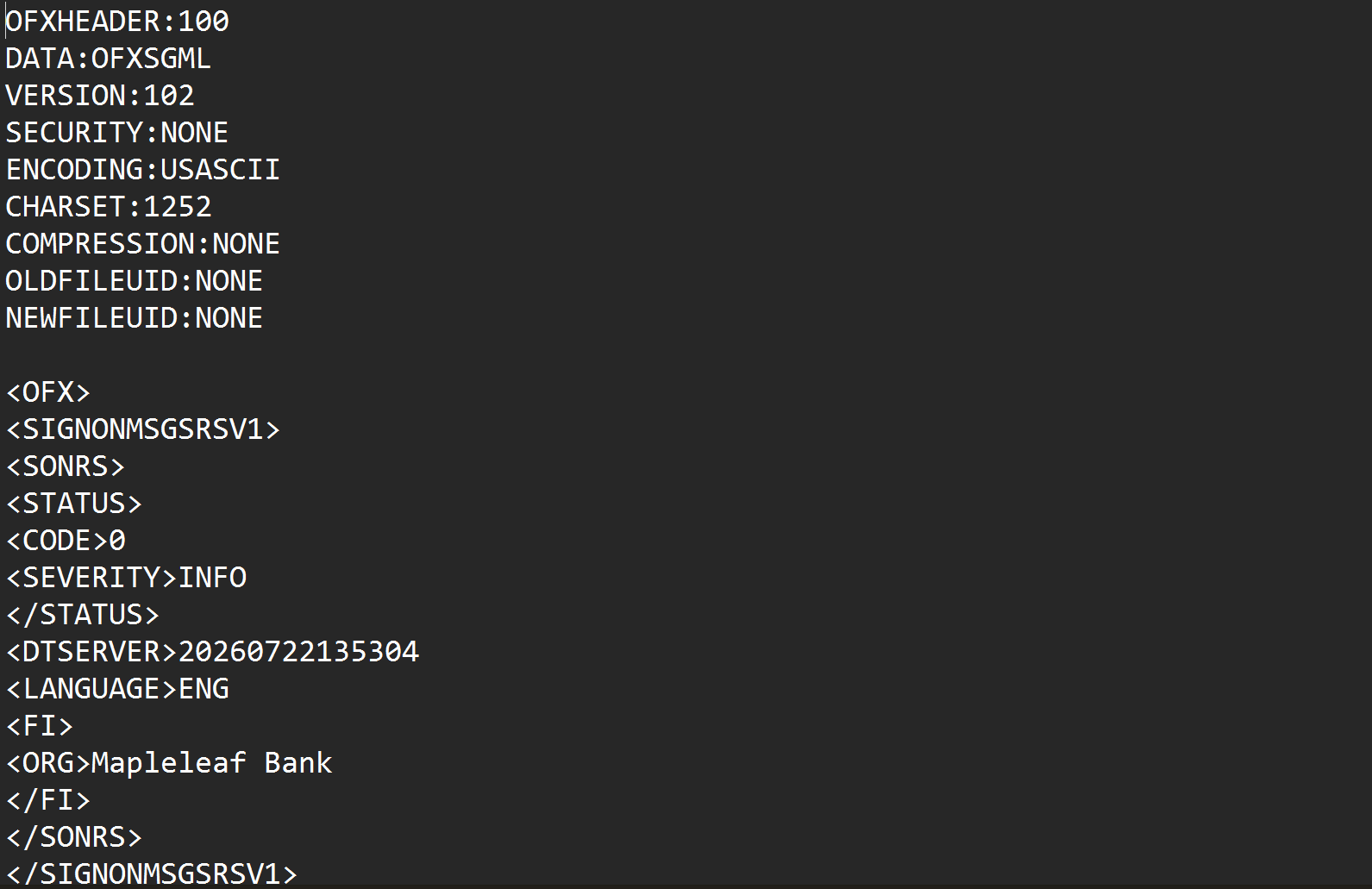
Both OFX dialects are handled, the older SGML style and the newer XML style, so it does not matter which your bank produces. Credit card statements are recognized and their sign convention decoded. Payee and memo are joined into complete descriptions before being written to the QIF payee line. Where the source carries a running balance, it is preserved on each record's memo line.
From Bank Download to a File Your Software Accepts
Before: raw OFX file
After: QIF ready for import
Use Cases
MYOB Bank Imports
MYOB takes QIF and OFX; QIF is the dependable path when a file will not load.
GnuCash & HomeBank
Free-software finance tools where QIF import is well trodden.
Older Quicken Installations
Versions that predate Web Connect and read QIF only.
Monthly Statement Routine
The same conversion each month, done in under a minute.
Software You Won't Replace
A tool that works and holds your history, kept for a file format's sake.
Bookkeepers With Mixed Clients
Different clients on different software generations.
Who It's For
MYOB Users
Australian and New Zealand businesses importing statement files.
GnuCash & HomeBank Users
Where QIF is a first-class import path.
UK & Irish Small Businesses
OFX downloads, older software.
South African & Australian Bookkeepers
Anglosphere banks, mixed software estates.
Long-Time Quicken Users
On versions that still work and still read QIF.
Anyone Whose Bank Dropped QIF
The gap between the download and the import.
Related Converters
Ledger Tome reads and writes many financial formats. Choose the one that fits your workflow:
The Quicken Web Connect version of this page.
Reading OFX downloads in a spreadsheet instead.
Starting from a spreadsheet export.
Starting from the original statement PDF.
The other direction: reading QIF archives.
What Ledger Tome Does Not Do
For clarity and transparency, Ledger Tome does not:
- Access bank accounts directly
- Initiate or modify transactions
- File taxes or submit reports
- Replace accounting software
- Categorize transactions automatically
It focuses solely on converting statement data into structured, accounting-ready formats.
Security & Privacy
Your Financial Data is Protected
We take statement security seriously. Here's how we protect your data:
-
Encrypted Transmission
All uploads use 256-bit SSL encryption (the same security banks use)
-
Secure Processing
Files are processed in isolated, secure environments with no human access
-
Automatic Deletion
All uploaded files are permanently deleted after 7 days (or immediately upon request)
-
No Training Data
Your statements are never used to train AI models or shared with third parties
-
No Account Access
We never access your bank account directly or store your banking credentials
-
GDPR Compliant
Full compliance with data protection regulations
-
No Permanent Storage
We don't maintain a database of your financial information
Privacy First: We process your data solely for conversion purposes. No marketing, no data selling, no third-party sharing.
Frequently Asked Questions
How do I convert an OFX file to QIF?
Which date format should I choose?
Does MYOB accept OFX directly?
Will importing the same QIF twice duplicate transactions?
Do categories transfer?
Does it work with .qfx and .qbo files too?
My bank's OFX is the newer XML style. Is that a problem?
Are credit card statements handled correctly?
What happens to the account number and currency?
Is there a file size limit?
Can I edit the data before downloading?
How much does it cost?
Troubleshooting Common Issues
Dates are reversed after import
The layout chosen at export did not match what the program assumed. For MYOB use DD/MM/YYYY; where your software accepts YYYY-MM-DD, it cannot be misread at all.
The software rejected the QIF
Check the .qif extension survived the download and that you are importing into an account of a matching type. MYOB also rejects files over 10MB.
Transactions imported twice
QIF carries no transaction IDs, so nothing prevents a repeat import. Remove the duplicated batch and re-import the period once.
Amounts have flipped signs
Bank and credit card files use opposite conventions. The preview shows the interpreted sign per transaction; correct it there before export.
Descriptions are longer than expected
Payee and memo are joined so nothing is lost. Shorten them in the preview if your software truncates long payee lines.
Summary
Banks across the anglosphere export OFX, and a good deal of the software waiting for those files reads QIF instead. The transactions convert cleanly; what needs a decision is the date layout, because QIF states none and the importing program will assume one. Making that choice explicit is the difference between a clean month and a year of quietly reversed dates.
If your bank gives you OFX and your software wants QIF, Ledger Tome bridges them in under a minute.
Ready to Convert Your OFX Files?
Stop choosing between the file your bank offers and the file your software accepts. Convert your first OFX to QIF in minutes.
Used by MYOB, GnuCash, HomeBank, and Quicken users