MT940 is a statement format, and that word matters more than it looks. It does not just carry a list of transactions. It carries an opening balance, the entries, and a closing balance, and those three things are supposed to agree. Accounting packages that import MT940 rely on that: it is how they know a statement is complete and has not been truncated or double-counted.
Which is why converting a spreadsheet into MT940 is a slightly different job from converting one into a transaction list. The data usually gets to Excel because something went wrong upstream: the bank's export was unusable, a period had to be rebuilt from several sources, or records have been kept by hand for an account without a proper download. Reconstructed data is exactly the kind most likely to have a balance that does not quite tie out, and MT940 is exactly the format that will not hide it.
Ledger Tome reads the workbook, shows you every row and what the balances imply, and writes a valid MT940. Where the figures are consistent, the statement reconciles by construction. Where they are not, you see it before the file leaves, rather than when your accounting software rejects it.
Why a Spreadsheet Isn't Already a Statement
MT940 asks for things a working spreadsheet usually doesn't track:
Balances are structural
MT940 requires an opening and a closing balance, and importers check that the entries between them add up. A transaction list alone is not a statement.
Strict tag syntax
:20:, :25:, :28C:, :60F:, :61:, :86:, :62F:, in order, with CRLF line endings. Small deviations get files rejected.
Descriptions have hard limits
The :86: field wraps at 65 characters across a limited number of lines. Long spreadsheet descriptions need handling, not truncating at random.
Excel dates hide their real values
A workbook stores serial numbers and displays them by regional setting, so what you see is not necessarily what a naive converter reads.
The transactions in your sheet are the easy part. The statement structure around them is what makes a file valid.
What Is an MT940 File?
MT940 is the SWIFT customer statement message: a plain-text bank statement format that European accounting and ERP systems have imported for decades.
You need one because your accounting software asks for it. Exact Online and Twinfield read MT940. DATEV works with it. SAP and other ERP systems accept it for statement loading. It predates the ISO 20022 standards that are gradually replacing it, and it remains the format a great deal of European accounting infrastructure actually runs on.
What's inside an MT940 statement:
The two balance fields are what make this a statement rather than a list. Ledger Tome writes them from your data: where your sheet carries a balance column or you supply the opening figure, the entries between the two balances add up as they should. Nothing is invented to force agreement, so a sheet that does not internally reconcile produces a statement that shows the discrepancy rather than hiding it.
:20:STATEMENT20260115
:25:NL91ABNA0417164300
:28C:00001/001
:60F:C260101EUR1000,00
:61:260115D4,50NTRFNONREF
:86:COFFEE SHOP AMSTERDAM
:61:260116C900,00NTRFNONREF
:86:CLIENT PAYMENT INV 2026-014
:62F:C260116EUR1895,50
Working from a bank download instead of your own workbook? See CSV to MT940 . Starting from the original statement PDF? See PDF to MT940 . Need the newer ISO 20022 format instead? See MT940 to CAMT.053 .
Common Ways to Get a Spreadsheet Into MT940
Write the MT940 by Hand
The tag structure is documented and a short statement can be typed out. For a real period it is slow and every line is a chance to break the syntax.
Build a Spreadsheet Macro
Workable if you only ever handle one layout, and a maintenance burden the moment the layout changes or a description runs long.
Ask the Bank Again
Worth one attempt, though if the data ended up in Excel it is usually because the bank's export was not available or not usable in the first place.
Automated Excel to MT940 Conversion
Reads the workbook natively, handles the tag structure and field limits, and writes balances that reconcile. Free to start.
Excel to MT940: Method Comparison
| Method | Time Required | Accuracy | Best For | Cost |
|---|---|---|---|---|
| Hand-written MT940 | Hours, plus debugging | Fragile syntax | A handful of entries | Free |
| Spreadsheet macro | Days to build | Good for one fixed layout | Repeating identical files | Your time |
| Bank re-export | Instant, if available | Native | When the export exists | Free |
| Ledger Tome | Under a minute | Valid syntax, balances checked | Any workbook layout | Free to start |
Why automated conversion wins: the syntax and the field limits are handled, and the balance arithmetic is checked rather than assumed.
How Ledger Tome Converts Excel to MT940
Ledger Tome reads spreadsheets the way a person does, then writes MT940 the way importers require.
Upload
Upload your .xlsx or .xls workbook
Structure Detection
Sheets, header rows, debit and credit columns, and date serials identified automatically
Review Rows & Balances
Check the transactions and confirm the opening and closing figures
Download MT940
A valid SWIFT statement file
Native Excel dates are read as real dates rather than as displayed text, so regional formatting never changes the result, and genuinely ambiguous columns prompt you to choose. Descriptions are wrapped to the :86: field's limits rather than being cut off mid-word. The opening balance plus the entries rolls up to the closing balance whenever the figures you provide are consistent.
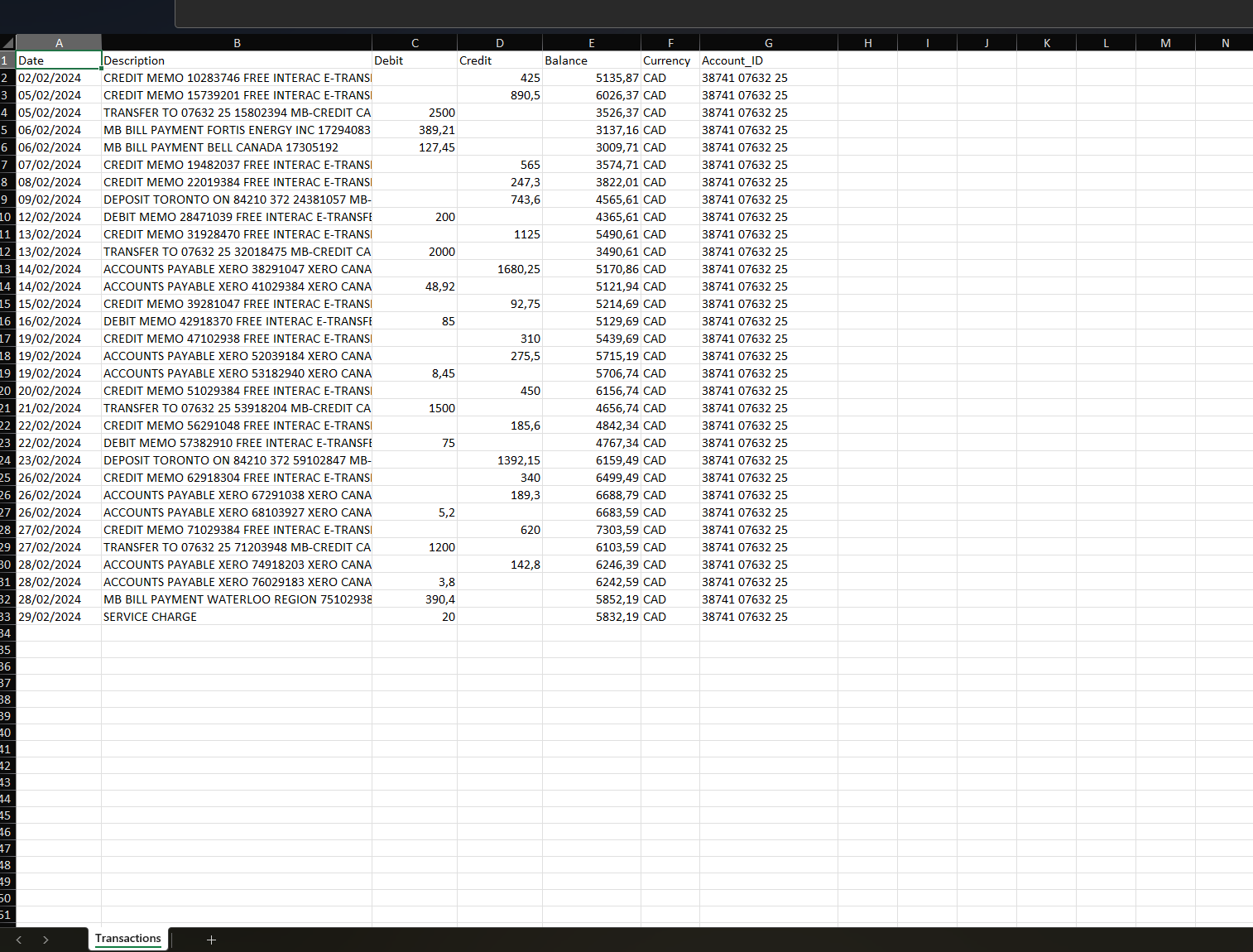
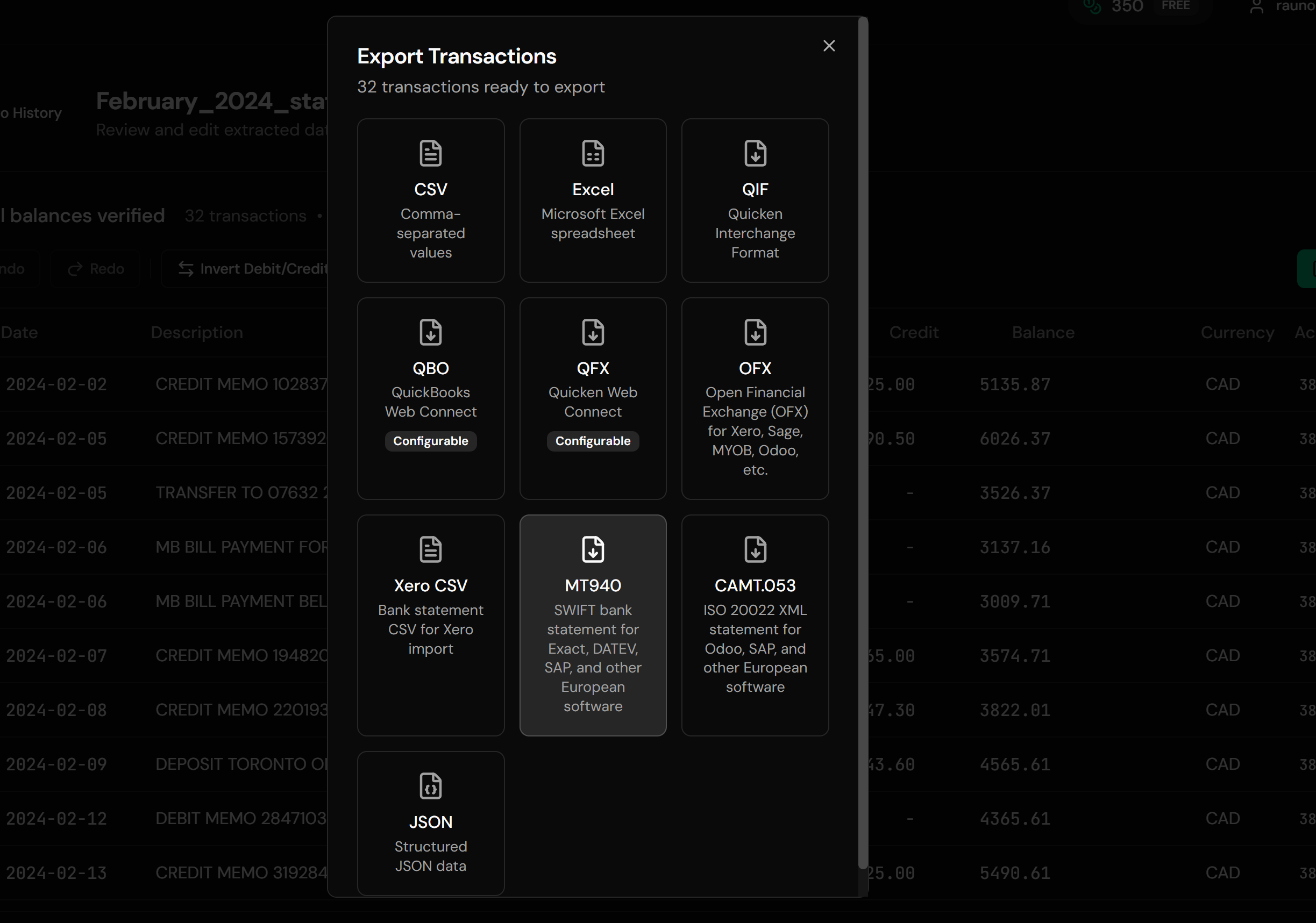
From Workbook Rows to a Valid Statement
Before: Excel Workbook
After: MT940 Statement
Use Cases for Excel to MT940 Conversion
Rebuilt Statement Periods
A month reconstructed from several sources, turned into one importable statement.
Accounts Without a Usable Export
Where the bank's own download was never fit for purpose.
Hand-Kept Records
Books maintained in Excel that now need to reach accounting software.
Consolidated Views
Several sources combined into a single statement for import.
Historical Backfill
Older periods loaded into Exact, Twinfield, or an ERP.
Testing and Migration
Producing statement files for a system being configured.
Who Excel to MT940 Conversion Is For
This type of conversion is commonly used by:
Dutch Bookkeepers
Exact Online and Twinfield both import MT940.
German Accountants
Where MT940 remains standard alongside DATEV workflows.
Finance Administrators
Loading statements into ERP systems.
Practices Handling Reconstructions
Catch-up work where the source data was assembled by hand.
ERP Consultants
Producing statement files during implementation and testing.
Anyone With Records Only in Excel
Where the spreadsheet is the authoritative source.
Related Converters
Ledger Tome supports multiple input and output formats. Choose the one that fits your workflow:
The bank-export version of this page.
Starting from the original statement PDF.
The other direction: reading MT940 files in a spreadsheet.
Moving to the ISO 20022 standard.
Same workbook, OFX output for anglosphere software.
What Ledger Tome Does Not Do
For clarity and transparency, Ledger Tome does not:
- Access bank accounts directly
- Initiate or modify transactions
- File taxes or submit reports
- Replace accounting software
- Categorize transactions automatically
It focuses solely on converting statement data into structured, accounting-ready formats.
Security & Privacy
Your Financial Data is Protected
We take statement security seriously. Here's how we protect your data:
-
Encrypted in transit and at rest
TLS on everything moving in or out, AES-256 on anything stored
-
No one reads your statements
Conversion is automated end to end. A person only ever sees a document if you send it in yourself on a conversion that failed
-
Automatic Deletion
All uploaded files are permanently deleted after 7 days (or immediately upon request)
-
No Training Data
Your statements are never used to train AI models or shared with third parties
-
No Account Access
We never access your bank account directly or store your banking credentials
-
GDPR Compliant
Full compliance with data protection regulations
-
No Permanent Storage
We don't maintain a database of your financial information
Privacy First: We process your data solely for conversion purposes. No marketing, no data selling, no third-party sharing.
Frequently Asked Questions
How do I convert an Excel file to MT940?
Do the balances have to be right?
What if my sheet doesn't have a balance column?
What happens if my data doesn't reconcile?
My workbook has a tab per month. Does that work?
My sheet has debits and credits in separate columns.
What about long descriptions?
Which currency is used?
Does it handle .xls as well as .xlsx?
Will Exact Online or Twinfield accept the file?
Should I use MT940 or CAMT.053?
How much does it cost?
Troubleshooting Common Issues
The software rejected the file
Check the account identification and currency are set correctly. Some systems also expect a particular statement number sequence across consecutive files.
The closing balance doesn't match
The entries and the balances in the source sheet disagree. The preview shows what the rows add up to; correct the data rather than the output.
Dates came out wrong
Excel date serials are read as real dates, but a column stored as text can still be ambiguous. Confirm the date interpretation in the preview.
Descriptions look truncated
The :86: field has hard limits. Shorten long descriptions in the preview if the wrapped version loses something important.
Row count looks short
Subtotals, blank rows, and header repeats are dropped by design. Compare the preview count against the actual transaction rows.
Summary
MT940 is a statement format rather than a transaction list, and its opening and closing balances are load-bearing. Spreadsheet data usually arrives at this conversion because a period was rebuilt or maintained by hand, which is exactly the case where balances need checking rather than assuming. Converting with the arithmetic verified produces a file that imports cleanly, and surfaces genuine inconsistencies before your accounting software does.
If you have a workbook that needs to become an MT940 statement, Ledger Tome converts it in under a minute.
Ready to Convert Your Spreadsheet?
Stop hand-building statement files. Convert your first Excel workbook to MT940 in minutes.
Used by Dutch and German bookkeepers, finance administrators, and ERP consultants