Odoo's advice about statement formats is different from almost every other accounting package, and following the usual guidance will send you the wrong way. Where Xero, Sage, and MYOB all point at OFX, Odoo reads CAMT.053 natively, along with CODA for Belgian banking. OFX works only if a community module has been installed. QIF has not been supported since 2005 and is not worth attempting.
There is a second complication that no SaaS product has. Odoo is an ERP with a module system, so what your instance accepts depends on what has been installed in it. Two Odoo deployments on the same version can have different format support. Before choosing an export format, it is worth looking at what your bank journal's import actually offers, because that is the authoritative answer for your system.
Ledger Tome converts PDF statements, CSV exports, and Excel files into CAMT.053, MT940, CSV, or OFX, so whichever answer your instance gives, you can produce a matching file. This page covers what Odoo reads out of the box, what needs a module, and how to load statements in bulk during an onboarding.
What Odoo Accepts, and What Depends on Modules
Odoo's format support is not one list. It depends on your version and what is installed:
CAMT.053: native
The ISO 20022 statement standard, read by Odoo out of the box. Carries balances, structured references, and unambiguous dates. This is the recommended target.
CODA: native, Belgian
The Belgian bank statement standard, also supported natively. Relevant if you bank in Belgium.
CSV and XLSX: mapped
Supported, with formatting options and a step where you map file columns to Odoo fields. Flexible, and manual each time the layout changes.
OFX: module-dependent, QIF: no
OFX support comes from OCA community modules rather than the base product. QIF has not been supported since 2005; do not plan around it.
The practical recommendation for most instances is CAMT.053, because it is native, complete, and needs no mapping step and no module.
Works With European Banks (and Everyone Else's)
Ledger Tome reads PDF statements and CSV/Excel exports from:
Eurozone Banks
ING, Rabobank, ABN AMRO, KBC, BNP Paribas, Deutsche Bank, Commerzbank, Belfius
Switzerland & Nordics
UBS, PostFinance, Nordea, Danske Bank
International
100+ banks worldwide, including US, UK, and Indian institutions
Don't see the bank? The AI adapts to any statement layout automatically, including non-English statements.
Check What Your Instance Accepts First
Open the bank journal in Odoo Accounting and look at the import options it offers. That list is specific to your version and installed modules, and it is more reliable than any general statement about what Odoo supports. Most instances will show CAMT.053 and a CSV or XLSX path; some will show CODA; a minority will show OFX where the community module has been added.
CAMT.053 (recommended)
Native support, no module required, no column mapping. The file carries opening and closing balances, IBAN-based account identification, and structured transaction codes, so Odoo can match the statement to the right journal and verify it balances.
CSV or XLSX (universal fallback)
Always available and always requires mapping. Worth choosing when you want the data in a spreadsheet as well, or when CAMT.053 is refused for a reason you have not yet diagnosed.
If your instance lacks a format you want, adding an OCA module is possible but it is a change to a production ERP, with the review and deployment process that implies. It is usually faster to export CAMT.053, which is already supported, than to add a module so that OFX becomes an option.
Format deep dives: PDF to CAMT.053 , CAMT.053 to Excel , and PDF to MT940 .
How to Import the File Into Odoo, Step by Step
CAMT.053 import:
- Go to Accounting and open the bank journal for the account
- Choose the import option on the journal
- Upload the .xml file from Ledger Tome
- Confirm the journal match, then reconcile the imported statement lines
CSV or XLSX import:
- Follow the same path, selecting the spreadsheet file
- Map the file's columns to Odoo's statement fields when prompted
- Set the date and number formatting options to match the file
- Review the statement lines before reconciling
For an onboarding or migration, import oldest first and one statement per file. CAMT.053 carries opening and closing balances, so Odoo can confirm each statement is internally consistent, which makes a bulk historical load far easier to trust than a series of mapped CSVs.
How Ledger Tome Prepares Statements for Odoo
Ledger Tome turns PDF bank and credit card statements, CSVs, and Excel exports into the formats Odoo Accounting imports.
Upload
Upload the PDF statement or spreadsheet export
AI Extraction
Statement structure, columns, dates, and debit/credit logic detected automatically
Review & Edit
Check every transaction in an interactive preview before export
Download CAMT.053
An ISO 20022 statement file ready for the bank journal
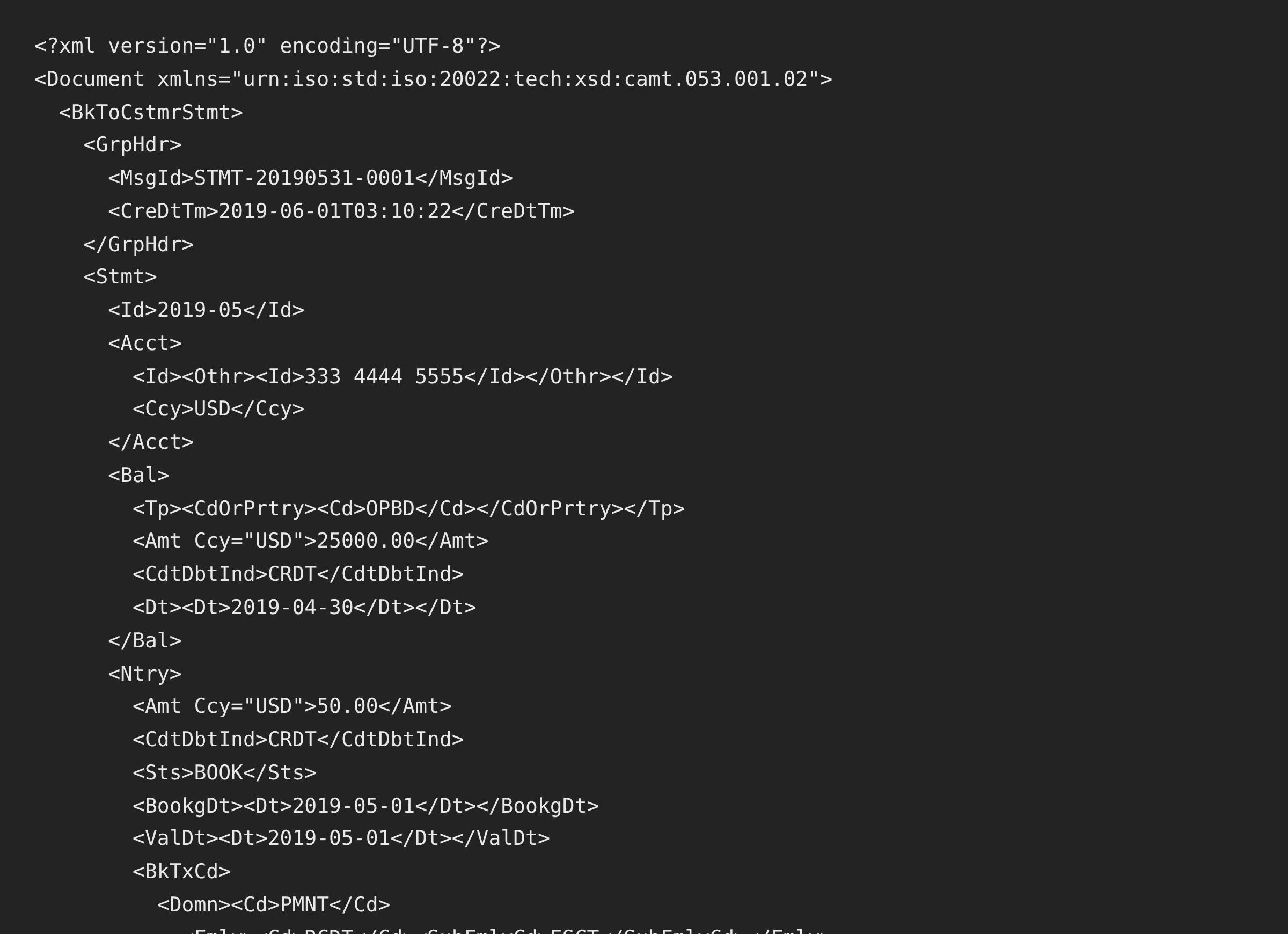
The CAMT.053 output is camt.053.001.02 with opening and closing balance blocks carried from the statement, IBAN-aware account rendering, and a complete transaction code on every entry, which is what Odoo expects when it reads the file into a journal. MT940 and CSV exports are available from the same conversion if your instance prefers one of those.
From Bank PDF to an ISO 20022 Statement
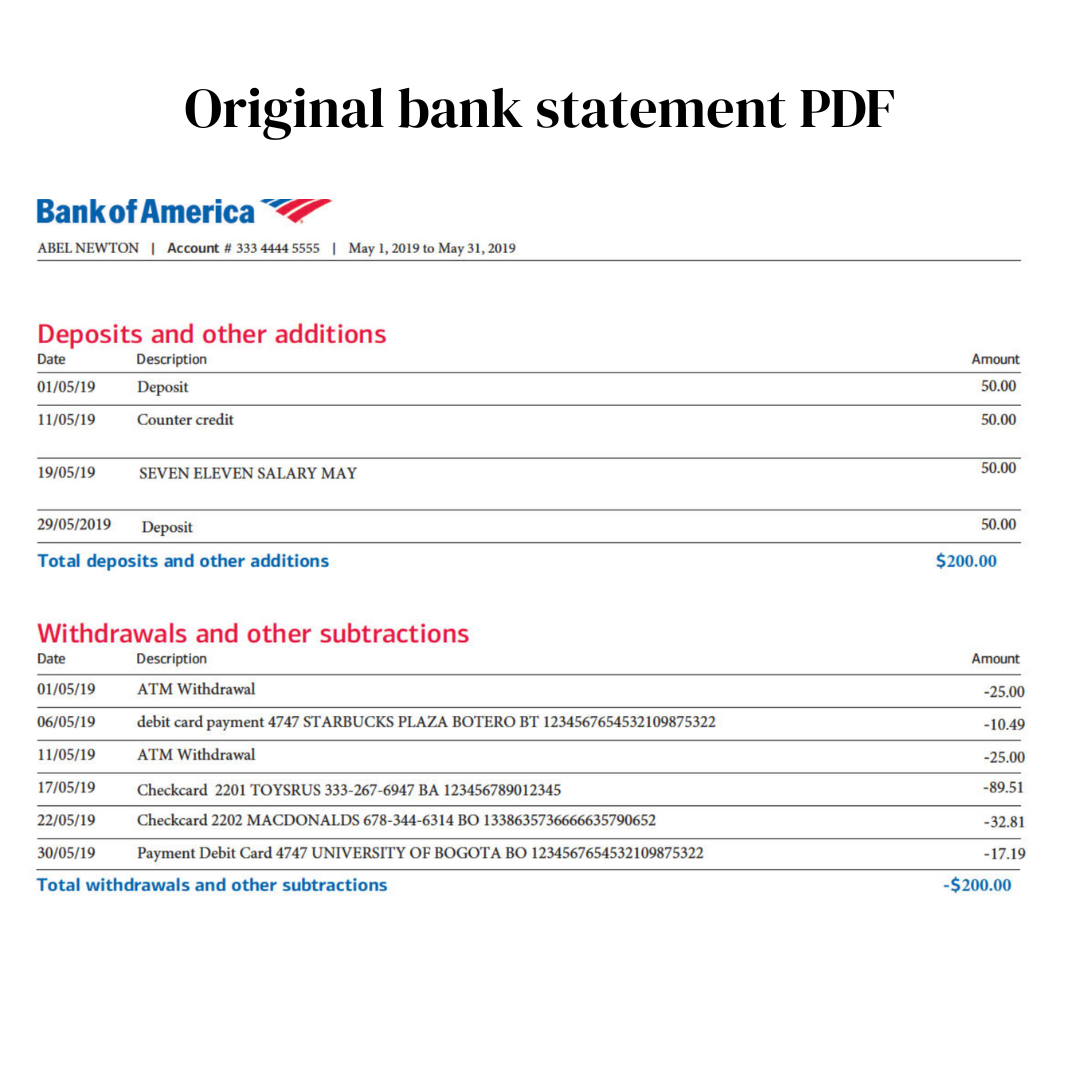
Before: the bank's PDF statement
After: CAMT.053 for the bank journal
Use Cases
Odoo Implementations
Loading historical statements during a go-live, in bulk.
Accounts Without Synchronization
Banks where Odoo's connectors are not available.
Banks That Only Offer PDFs
Common at smaller European institutions.
Migrations Into Odoo
Bringing statement history across from a previous system.
Multi-Company Deployments
Several entities, several banks, one conversion habit.
Credit Card Accounts
Card statements with the sign convention handled correctly.
Who It's For
Odoo Implementation Consultants
Loading client history during onboarding.
Internal ERP Administrators
Managing bank journals across entities.
European Accountants
Where CAMT.053 is already the working standard.
Belgian & Dutch Businesses
CODA and CAMT territory.
Finance Teams on Odoo
Reconciling accounts that connectors cannot reach.
Anyone Loading Statement History
Where the volume makes manual entry impossible.
Related Converters
Ledger Tome supports multiple formats and destinations. Choose the one that fits your workflow:
The format-first page for the recommended output.
Reading CAMT files in a spreadsheet.
The older European statement standard.
Migrating legacy statements to ISO 20022.
The universal fallback format.
What Ledger Tome Does Not Do
For clarity and transparency, Ledger Tome does not:
- Access bank accounts directly
- Initiate or modify transactions
- File taxes or submit reports
- Replace accounting software
- Categorize transactions automatically
It focuses solely on converting statement data into structured, accounting-ready formats.
Security & Privacy
Your Financial Data is Protected
We take statement security seriously. Here's how we protect your data:
-
Encrypted Transmission
All uploads use 256-bit SSL encryption (the same security banks use)
-
Secure Processing
Files are processed in isolated, secure environments with no human access
-
Automatic Deletion
All uploaded files are permanently deleted after 7 days (or immediately upon request)
-
No Training Data
Your statements are never used to train AI models or shared with third parties
-
No Account Access
We never access your bank account directly or store your banking credentials
-
GDPR Compliant
Full compliance with data protection regulations
-
No Permanent Storage
We don't maintain a database of your financial information
Privacy First: We process your data solely for conversion purposes. No marketing, no data selling, no third-party sharing.
Frequently Asked Questions
How do I import a bank statement into Odoo?
What format does Odoo prefer for bank statements?
Does Odoo import OFX?
Does Odoo import QIF?
Can Odoo read PDF bank statements?
What about CODA?
How do I know which formats my instance supports?
Can I import CSV instead?
Does this work for credit card statements?
Can I load a year of history at once?
Do non-English statements work?
How much does it cost?
Troubleshooting Common Issues
The import option doesn't list CAMT.053
Check the Odoo version and which accounting modules are installed. The bank journal's import options are the authoritative list for your instance.
Odoo rejected the CAMT file
Confirm the .xml extension survived the download and that the journal you are importing into matches the account in the file. IBAN mismatches are the usual cause.
The statement doesn't balance in Odoo
CAMT.053 carries opening and closing balances from the source statement. If they disagree with the lines, check the preview row count against the statement before re-exporting.
CSV columns mapped incorrectly
Set the output column layout at export so the file arrives in a predictable arrangement rather than remapping on every import.
Amounts have flipped signs
Some banks export debits as positive. The preview shows the interpreted sign per transaction; correct the convention there before export.
Summary
Odoo is the one place where the usual advice does not apply: CAMT.053 is the native, no-module, no-mapping path, CSV is the universal fallback, OFX depends on a community module, and QIF has been gone for twenty years. Because module configuration varies between instances, the bank journal's own import options are the answer worth trusting. Converting statements into CAMT.053 gives Odoo a complete, balanced statement it can read without any of that mattering.
If you have statements waiting to get into Odoo, Ledger Tome converts them in minutes each.
Ready to Get Statements Into Odoo?
Stop hand-entering statements into bank journals. Convert your first statement into CAMT.053 in minutes.
Used by Odoo consultants, ERP administrators, and finance teams