MYOB is stricter about bank statement files than most accounting software, and it is worth knowing that before you spend an afternoon on it. MYOB imports OFX and QIF. It does not import CSV bank statements, and it certainly does not read PDFs. That rules out the two formats Australian and New Zealand banks are most likely to hand you, which is why so many MYOB users end up looking for a converter rather than an import setting.
Ledger Tome takes the PDF, CSV, or Excel file you actually have and produces the OFX or QIF that MYOB actually accepts. OFX is the better choice where you have the option: it carries unambiguous dates and a unique identifier on every transaction, so re-importing a file cannot double your accounts. QIF is the fallback for cases where a particular file or version will not cooperate, and it comes with one thing to get right, which is the date layout.
This page covers what MYOB accepts, MYOB's documented file rules including the size limit and date preference, the import steps, and the batch workflow for bookkeepers running several clients at once.
What MYOB Can and Can't Import
MYOB's accepted format list is shorter than most, and it excludes the two most common ones:
OFX: the clean path
MYOB imports OFX statement files. No column mapping, unambiguous dates, and a unique ID per transaction so repeat imports are harmless.
QIF: accepted, with care
MYOB also takes QIF. It carries no date format of its own, so the layout has to be set deliberately, and MYOB documents DD/MM/YY.
CSV: not accepted
Unlike Xero and Sage, MYOB does not import bank statement CSVs. The format your bank most readily exports is the one MYOB will not take.
PDF: not accepted
The format clients and banks actually send, and no accounting package reads it directly.
That leaves conversion as the standard step rather than an occasional workaround, which is why it is worth making it a fast one.
MYOB's File Rules Worth Knowing Before You Import
Under 10MB
MYOB requires bank statement import files to be smaller than 10MB. Converted OFX and QIF files are compact, so this rarely bites, but a very long multi-year period is worth splitting.
DD/MM/YY dates
MYOB documents a DD/MM/YY date preference. This matters most for QIF, which records no date format at all, so whatever you choose at export is what MYOB will assume.
QIF flavor matters
QIF is a loose format with several dialects in the wild. A QIF that another program accepts is not automatically one MYOB will.
Ledger Tome's QIF export lets you set the date layout directly, so you can produce DD/MM/YYYY for MYOB rather than hoping a converter guessed your region correctly. This is the single most common cause of a MYOB import that succeeds and then shows every date before the thirteenth of the month in the wrong place.
Works With Australian and New Zealand Banks (and Everyone Else's)
Ledger Tome reads PDF statements and CSV/Excel exports from:
Australian Banks
Commonwealth Bank, Westpac, NAB, ANZ, Bendigo, Macquarie, Bankwest, ING
New Zealand Banks
ASB, BNZ, Kiwibank, Westpac NZ
International
100+ banks worldwide for clients with foreign accounts
Don't see the bank? The AI adapts to any statement layout automatically.
OFX or QIF? Use OFX Unless Something Stops You.
OFX (recommended)
Carries dates in an unambiguous encoded form, includes the account and currency, and gives every transaction a unique identifier. That identifier is what lets MYOB recognize a transaction it has already seen, so an accidental re-import does nothing rather than doubling the account.
QIF (fallback)
Simpler and older. No transaction identifiers, so repeat imports duplicate. No date format recorded in the file, so the layout must be set at export. Useful when a specific OFX file or MYOB version will not cooperate.
In practice most people should export OFX and never think about it again. Reach for QIF when MYOB refuses a particular OFX file, and when you do, set the date layout to DD/MM/YYYY and import each period exactly once.
Format deep dives: PDF to OFX , CSV to OFX , and OFX to QIF if you need to convert an existing bank download.
How to Import the File Into MYOB, Step by Step
MYOB Business:
- Go to Banking and select the bank account
- Choose the option to import statements
- Upload the .ofx or .qif file from Ledger Tome
- Review the imported transactions and allocate them as usual
MYOB AccountRight:
- Open the Banking command centre and select the account
- Choose the bank statement import option for your version
- Select the file and confirm the account match
- Review and reconcile the imported transactions
Batch tip for bookkeepers: convert client by client and import oldest-first per account. One statement per file keeps MYOB's per-account imports clean, and OFX transaction IDs make an accidental re-import harmless. If you are on QIF, keep a note of which periods have been loaded, because QIF cannot protect you the same way.
How Ledger Tome Prepares Statements for MYOB
Ledger Tome is an AI-powered tool that turns PDF bank and credit card statements, CSVs, and Excel exports into MYOB-ready OFX and QIF files.
Upload
Upload the PDF statement or spreadsheet export
AI Extraction
Statement structure, columns, dates, and debit/credit logic detected automatically
Review & Edit
Check every transaction in an interactive preview before export
Download OFX or QIF
An import-ready file in the format MYOB accepts
The OFX output carries a unique FITID on every transaction, so re-importing a file into MYOB never duplicates the account. On the QIF side, the date layout is yours to set, which is what keeps DD/MM and MM/DD from being confused on import.
From Bank Statement to Reconciliation-Ready
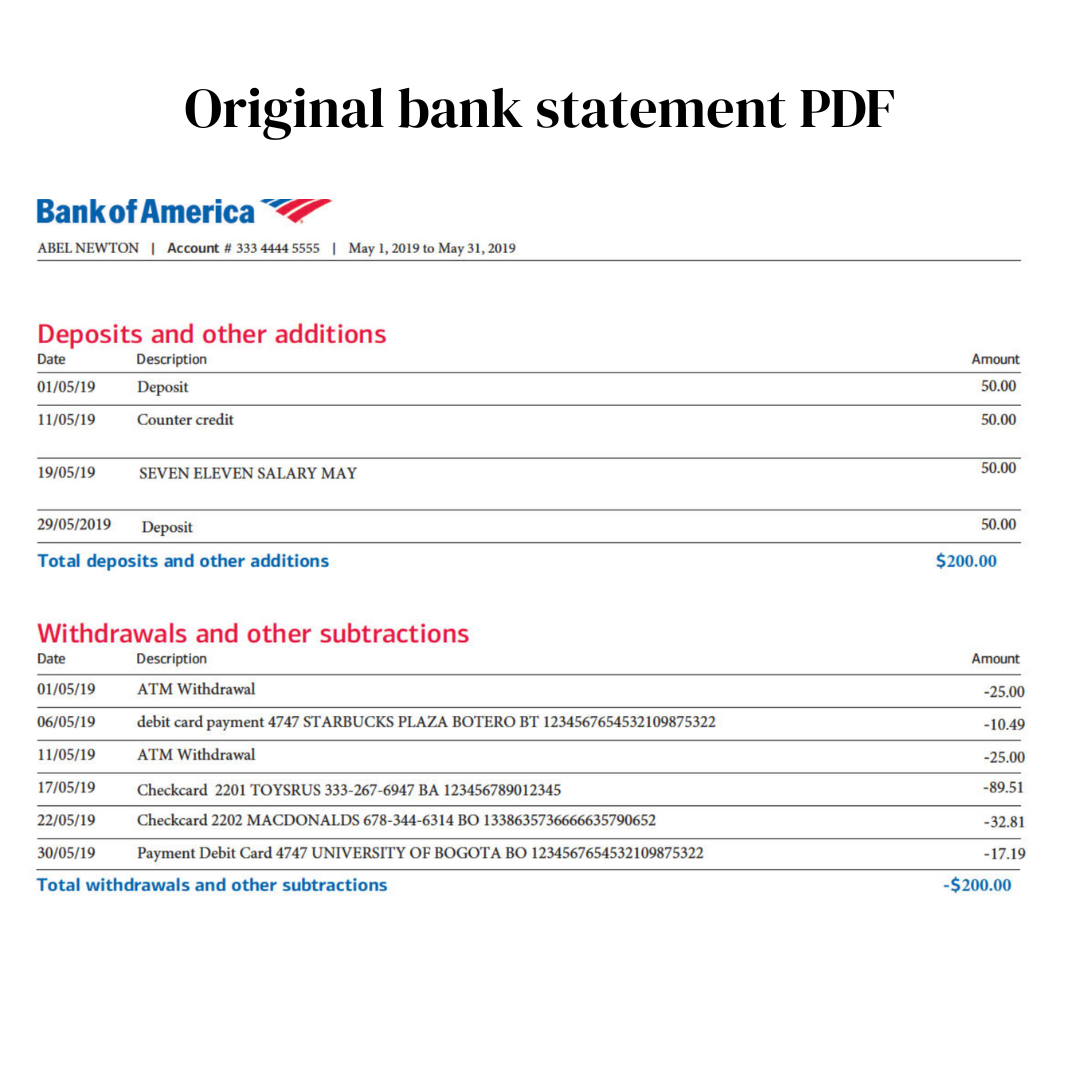
Before: the bank's PDF statement
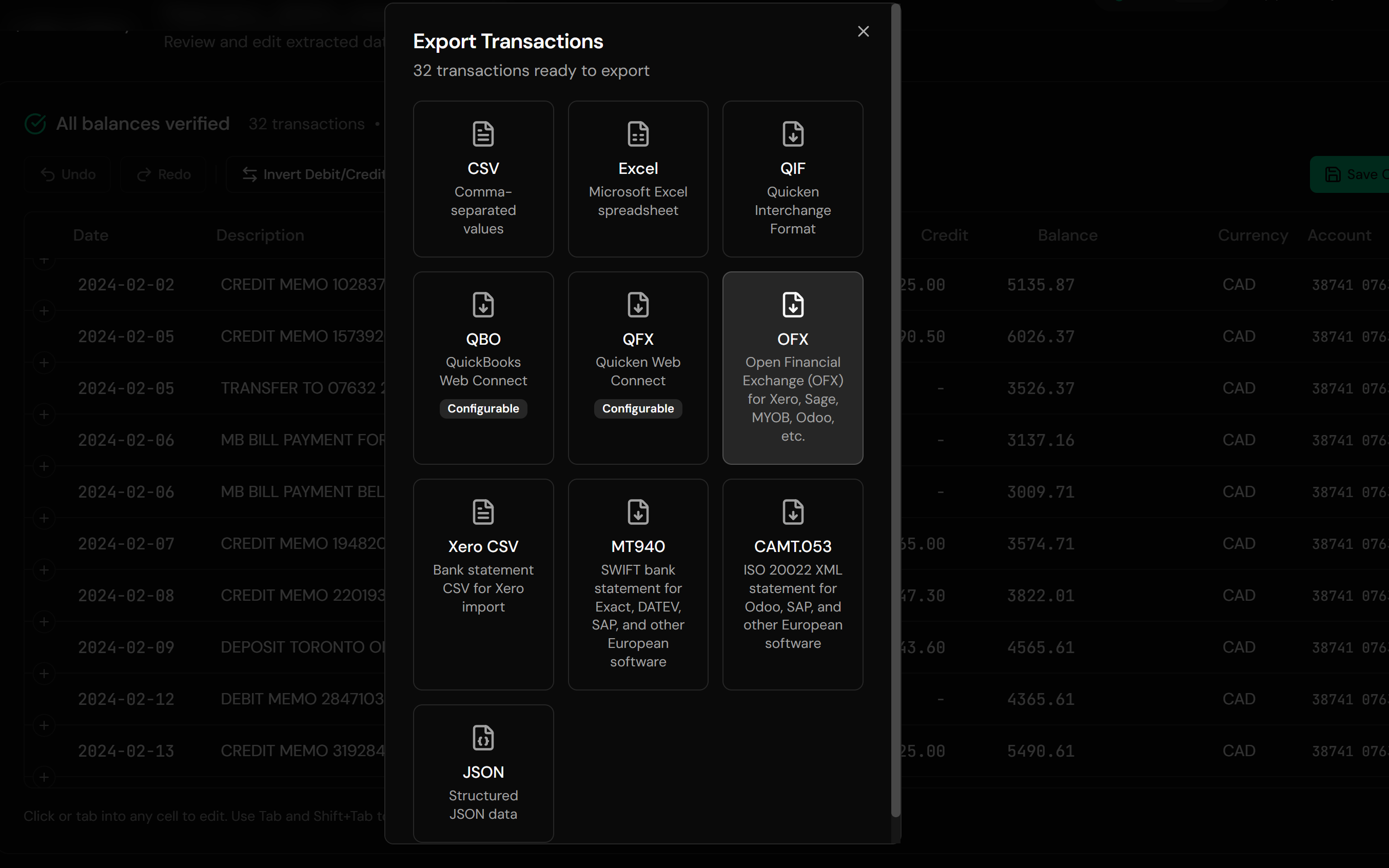
After: MYOB-ready OFX
Use Cases
Accounts Without a Feed
Smaller institutions and account types MYOB's feeds never covered.
Feed Gaps and Outages
Fill missing periods precisely from the statement covering them.
Client Onboarding Backlogs
A new client, a year of PDF statements, one conversion habit.
BAS and Year-End Work
Complete the records before lodgement, from whatever the client kept.
Credit Card Accounts
Card statements convert with correct signs for the card account in MYOB.
Multi-Client Bookkeeping
Many banks, many layouts, one consistent output format.
Who It's For
MYOB Business Users
The cloud product, with the same file requirements.
AccountRight Users
Desktop and server files, same conversion habit.
Australian & New Zealand Bookkeepers
The market where MYOB runs deepest.
BAS Agents
Working to lodgement deadlines with incomplete records.
Small Businesses on MYOB
Owners doing their own books without retyping statements.
Anyone Feeding MYOB From Files
If the feed cannot reach it, conversion can.
Related Converters
Ledger Tome supports multiple formats and destinations. Choose the one that fits your workflow:
The format-first page for PDF statements.
Bank sent a CSV export instead? Same destination.
Already have an OFX download and need QIF instead.
Spreadsheet-kept records into MYOB's other accepted format.
The Xero equivalent of this guide.
What Ledger Tome Does Not Do
For clarity and transparency, Ledger Tome does not:
- Access bank accounts directly
- Initiate or modify transactions
- File taxes or submit reports
- Replace accounting software
- Categorize transactions automatically
It focuses solely on converting statement data into structured, accounting-ready formats.
Security & Privacy
Your Financial Data is Protected
We take statement security seriously. Here's how we protect your data:
-
Encrypted Transmission
All uploads use 256-bit SSL encryption (the same security banks use)
-
Secure Processing
Files are processed in isolated, secure environments with no human access
-
Automatic Deletion
All uploaded files are permanently deleted after 7 days (or immediately upon request)
-
No Training Data
Your statements are never used to train AI models or shared with third parties
-
No Account Access
We never access your bank account directly or store your banking credentials
-
GDPR Compliant
Full compliance with data protection regulations
-
No Permanent Storage
We don't maintain a database of your financial information
Privacy First: We process your data solely for conversion purposes. No marketing, no data selling, no third-party sharing.
Frequently Asked Questions
How do I import a bank statement into MYOB?
Can MYOB import a CSV bank statement?
Can MYOB read PDF bank statements?
What format is best for MYOB bank imports?
What date format does MYOB expect?
Is there a file size limit?
Will importing the same file twice duplicate transactions?
My QIF was rejected but the file looks fine.
Does this work for credit card statements?
How far back can I import?
Do New Zealand bank statements work?
How much does it cost?
Troubleshooting Common Issues
MYOB rejected the file
Check the extension survived the download and that the file is under 10MB. If a QIF is refused, try OFX instead, since MYOB is particular about QIF dialects.
Dates are wrong after a QIF import
The layout at export did not match MYOB's expectation. Re-export the QIF with DD/MM/YYYY, or switch to OFX where dates are unambiguous.
Transactions doubled up
Almost always a repeated QIF import, which cannot deduplicate. Remove the duplicated batch in MYOB and re-import the period as OFX.
Amounts have flipped signs
Some banks export debits as positive. The preview shows the interpreted sign per transaction; correct the convention there before export.
Statement period incomplete
Multi-page PDFs process automatically; check the preview row count against the statement before exporting.
Summary
MYOB accepts OFX and QIF and refuses both CSV and PDF, which makes conversion a standing part of the workflow rather than an occasional fix. OFX is the format to reach for, because its transaction IDs make repeat imports harmless. Where QIF is needed, the date layout has to be set deliberately to the DD/MM/YY that MYOB documents, and that one choice is what separates a clean import from a year of quietly reversed dates.
If you have statements waiting to get into MYOB, Ledger Tome converts them in minutes each.
Ready to Get Statements Into MYOB?
Stop retyping statements MYOB will not read. Convert your first statement into a MYOB-ready file in minutes.
Used by Australian and New Zealand bookkeepers, BAS agents, and small business owners