You're wasting hours you'll never get back
You know exactly what this feels like:
It's 4 PM on a Thursday. Your client just dropped 8 credit card statements in your inbox. Business expenses from the last quarter.
You open the first one. Chase Visa. 63 transactions spread across 4 pages.
You start copying. Date... wait, which date? Transaction date or posting date? The payment shows a transaction date of March 29th, but it posted April 2nd. Which one keeps the balance accurate?
You pick one. Copy it over. Check the balance. It's off by $847.
You go back. Try the other date. Still wrong. The payment is breaking everything.
Now you're scrolling between page 2 where the purchases are and page 4 where the payment summary is, trying to figure out why nothing adds up.
45 minutes later, you're still on the first statement. You have seven more to go.
Credit card statements weren't designed for this.
They're formatted for humans to read, not for you to manually wrestle into accounting software while your actual work piles up.
There's a better way.
From PDF to export in 4 clicks
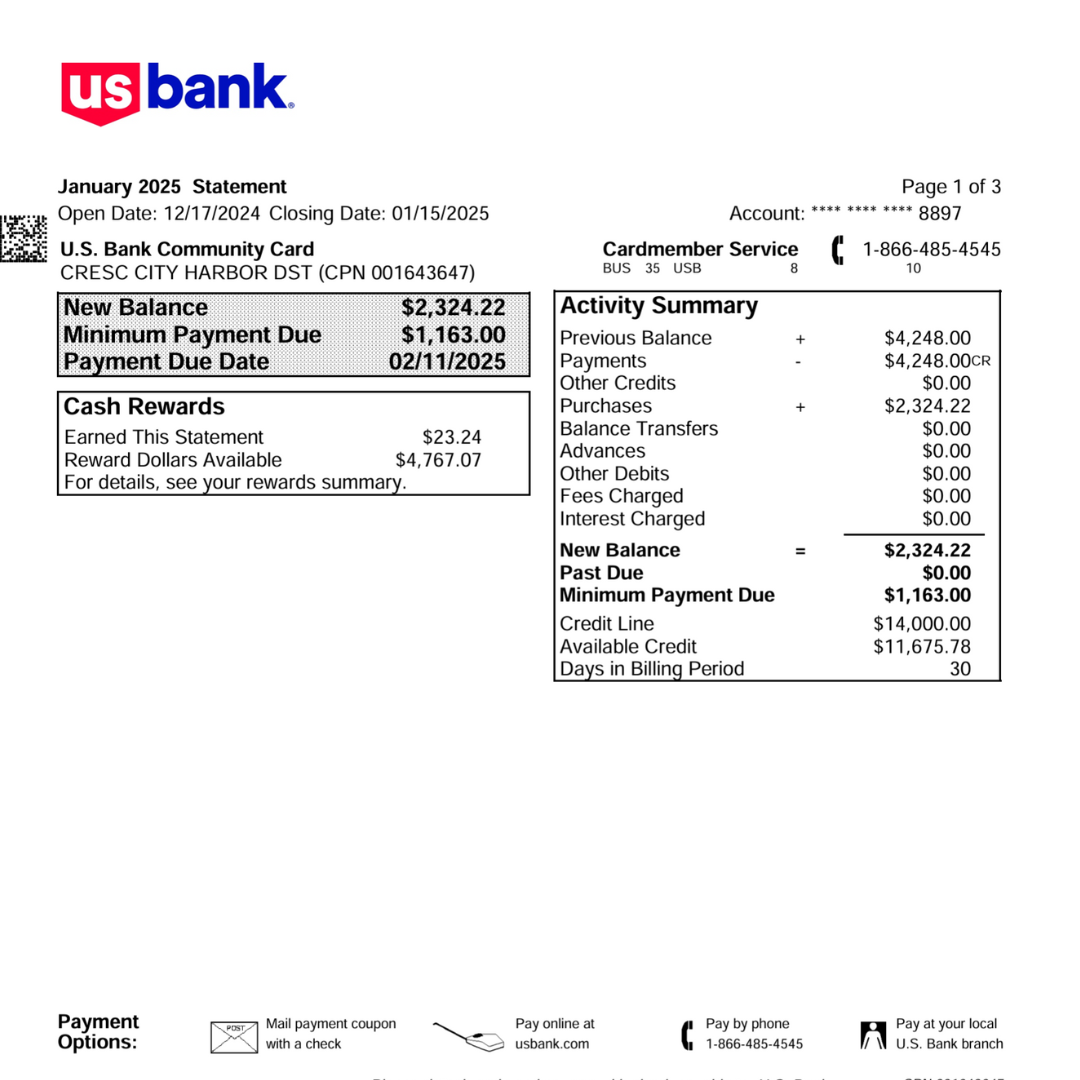
Upload Your Credit Card Statement
Any card. Any format. PDF or scanned document. Drag and drop.
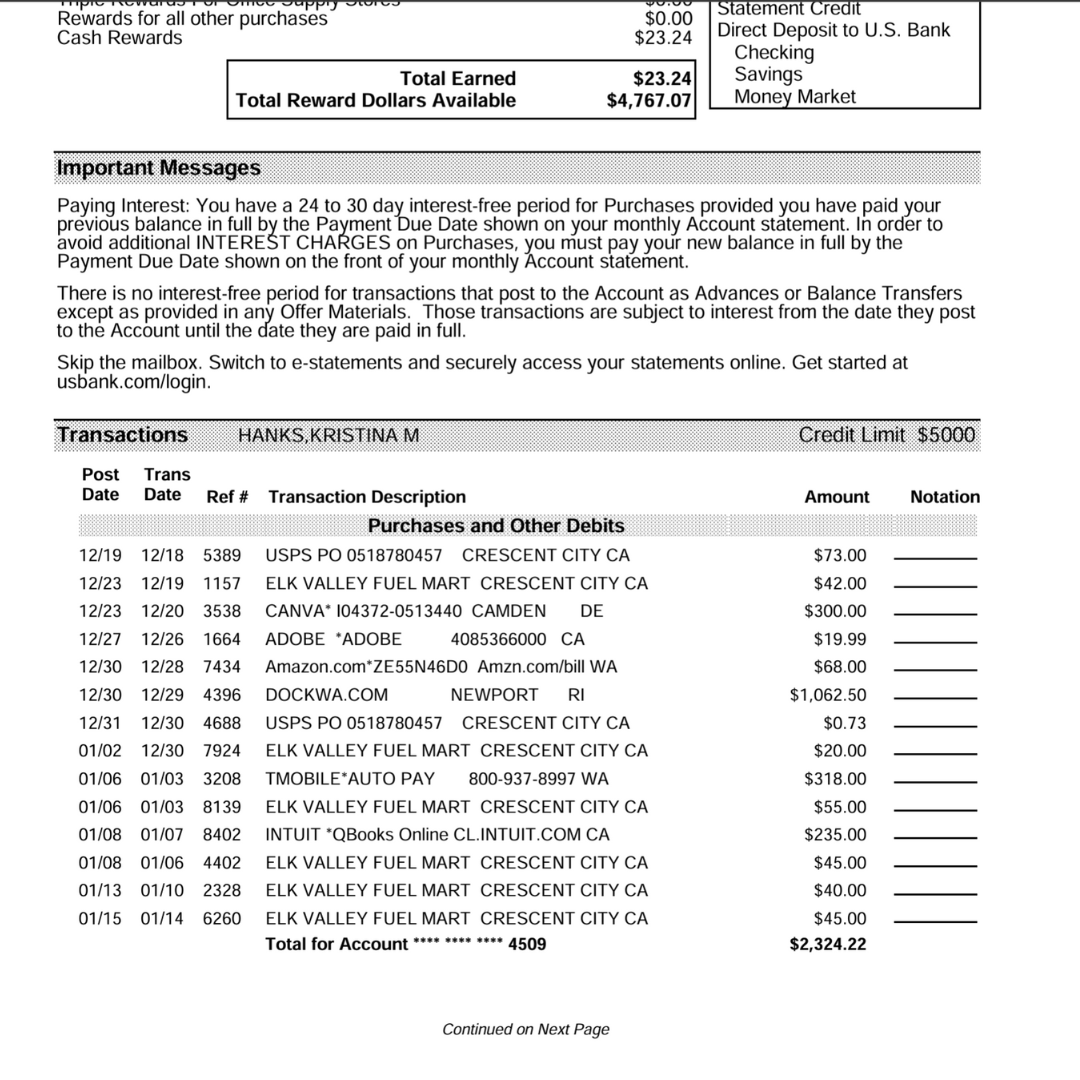
AI Extracts Every Transaction
Ledger Tome reads your credit card statement like a human would, understanding dates, descriptions, charges, payments, and balances automatically. Correctly handles credit card debit/credit orientation and posting date logic. No templates. No configuration.
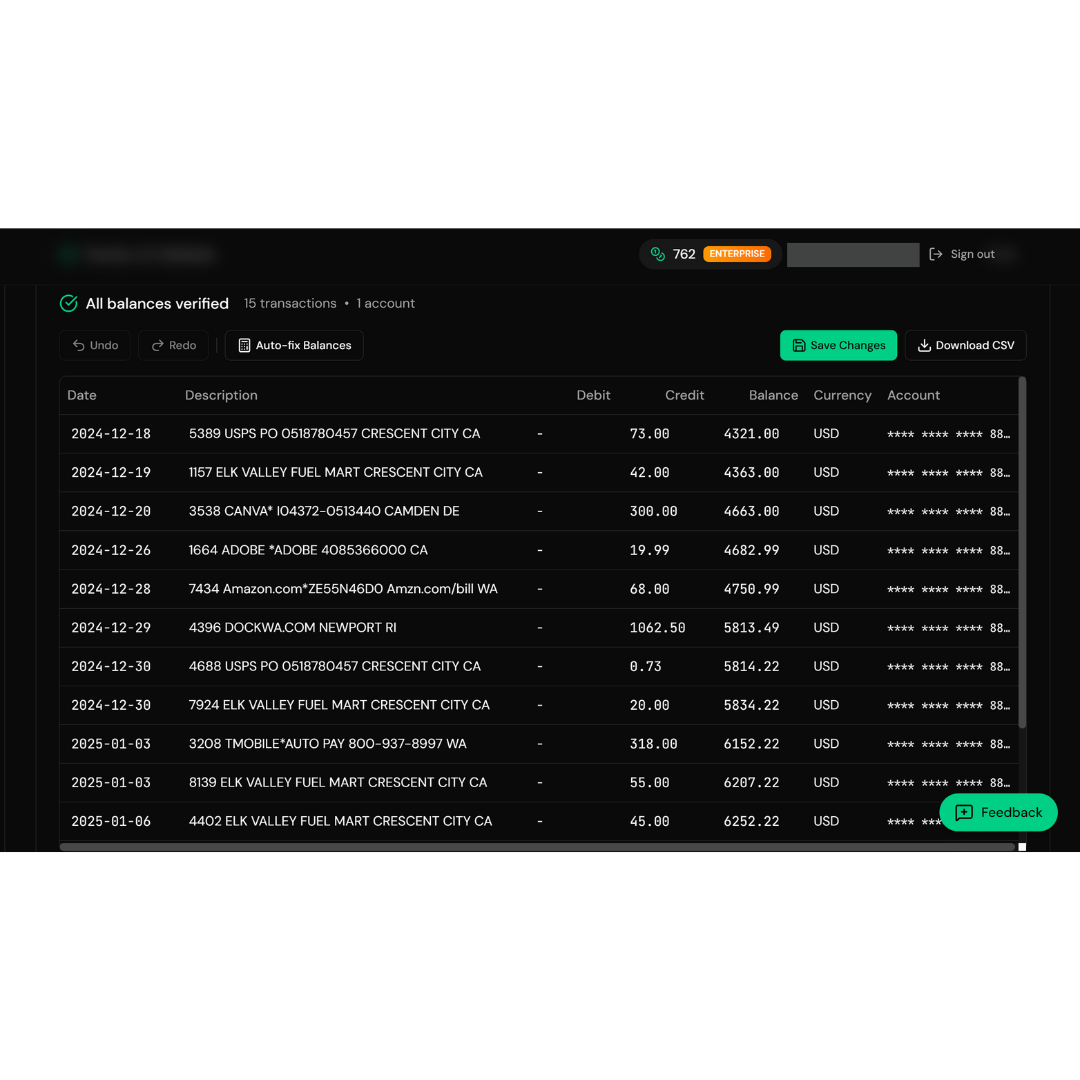
Review & Fix (If Needed)
Our smart validator highlights any discrepancies. Click to fix before downloading. You stay in control.
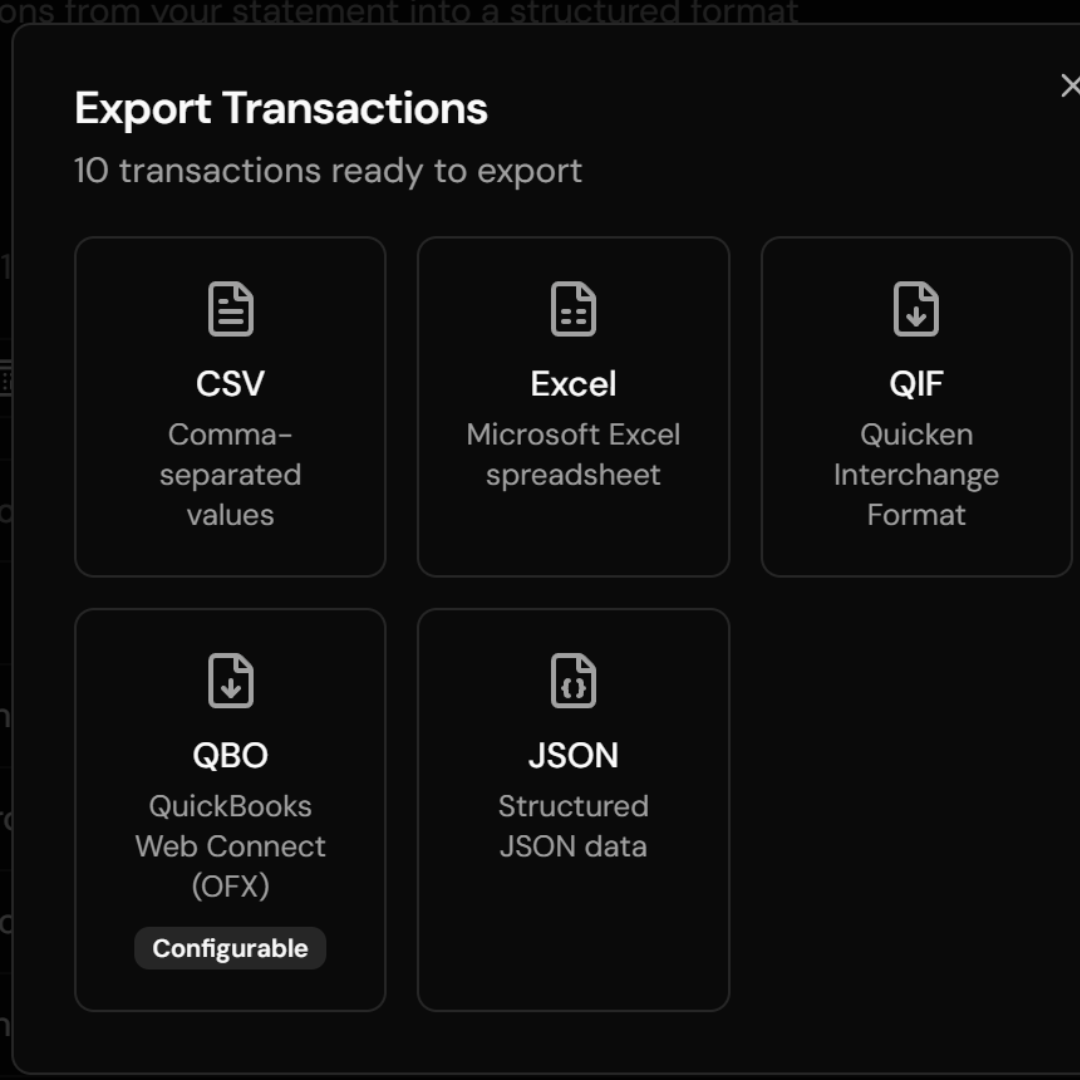
Export Your Data
Download as CSV, Excel, QIF, QBO, or JSON. Ready for QuickBooks, Xero, or any accounting software. Done in minutes, not hours.
"But will it work with MY credit card?"
Yes.










...and hundreds more
Ledger Tome uses AI to handle any credit card statement format automatically:
Works with all major card issuers worldwide, including Visa, Mastercard, Amex, Discover, and regional cards
No templates or setup required. Upload and go
Handles different layouts, languages, and currencies, and the AI adapts automatically
Even works with scanned PDFs from years ago. It doesn't matter if it's a photo or a digital file
Chase. American Express. Capital One. That corporate card your client uses. Store cards. International cards with statements in different languages.
If it's a credit card statement, Ledger Tome converts it.
Is it accurate?
99.9% accuracy rate , and we show you the 0.1%.
| Date | Description | Debit | Credit | Balance |
|---|---|---|---|---|
| 2024-01-15 | Opening Balance | - | - | 1,234.56 |
| 2024-01-16 | Amazon Purchase | 45.99 | - | 1,280.55 |
| 2024-01-17 | Starbucks | 4.50 | - |
1,285.05
1,285.05
|
| 2024-01-18 | Payment - Thank You | - | 500.00 | 785.05 |
Click any cell to edit • Changes validate in real-time
Our built-in validator checks every transaction and flags discrepancies automatically:
Balances that don't match? Highlighted in real-time.
Missing transactions? Flagged before you download.
Wrong amounts? You'll see it immediately.
Click any cell to edit. Changes validate instantly.
You're in control. No surprises when you import to your accounting software. No reconciliation nightmares three weeks later.
If the conversion doesn't work, we'll make it work. Guaranteed.
Just use the feedback button and we'll fix it for you.
Is my client's financial data safe?
Bank-level security. Your data stays yours.
Secure Infrastructure
Hosted on AWS secure servers, the same infrastructure trusted by banks and financial institutions worldwide
Encrypted
All files encrypted in transit and at rest. Your data is protected at every step
Auto-deleted in 7 days
Automatically deleted after 7 days. We don't keep your statements
Not used for AI training
Not used for AI training or shared with third parties. Your client's data is processed and then gone
Your client sends you credit card statements with sensitive purchase data. We treat it that way.
Who saves hours with Ledger Tome?
Accountants & Bookkeepers
Stop wasting billable hours copying credit card statements. Get back to actual accounting work: advising clients, closing books, strategic planning.
Freelancers
Handle client credit card statements faster without hiring help or burning your evenings on manual work.
Small Business Owners
Get your credit card transactions into your accounting software without the headache. Focus on running your business.
Anyone reconciling transactions
If you're manually copying credit card statements right now, this will save you hours every week.
99.9%
Accuracy Rate
7 Days
File Retention
100%
Secure Processing
Auto
Flags Discrepancies
Why Credit Card Statements Are Tricky
Credit card statements often include:
Purchases and payments in the same column
Unlike bank statements, credits and debits appear together, requiring different handling logic.
Payments without transaction dates
Payments often only show posting dates because that's when the balance actually changes.
Posting dates that differ from purchase dates
The date you bought something and the date it posted to your account can be days apart.
Balances that move opposite to bank accounts
Purchases increase your balance, payments decrease it. The reverse of bank account logic.
Key information scattered across multiple pages
Purchases on page 2, payments on page 4, balance summary on page 1. Ledger Tome collects it all correctly.
Ledger Tome is built to handle these differences explicitly, so your CSV reflects reality and imports correctly into your accounting software.
Questions you might have
Does it work with bank statements too?
Yes. Ledger Tome handles both credit card and bank statements correctly, including the different date and balance logic that makes credit cards unique.
What if my statement has a weird format?
The AI handles it. No templates needed. It reads the structure automatically, even if it's never seen that exact layout before.
Can I edit the data before downloading?
Yes. Review and fix any flagged issues with our built-in validator. Click any cell to edit.
What happens to my files after conversion?
Processed securely on AWS servers, then automatically deleted after 7 days. We don't keep your data.
What formats can I upload?
PDF (digital or scanned). As long as the text is readable, Ledger Tome can extract it.
Why is the posting date used for payments?
Because that's when the balance actually changes on a credit card. Using transaction dates for payments often breaks reconciliation.
Ready to stop staring at PDFs?
Before
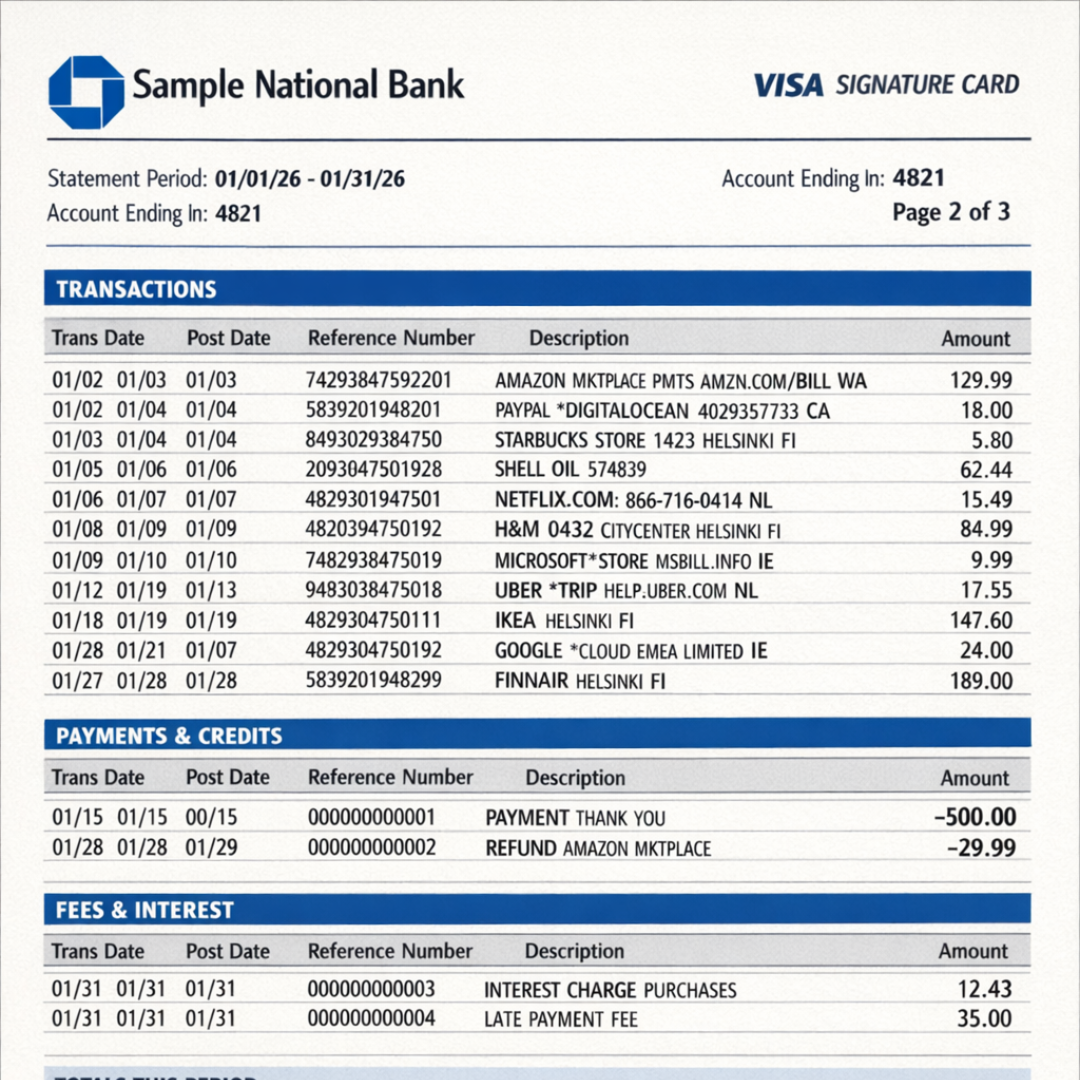
Messy credit card statement PDF
After
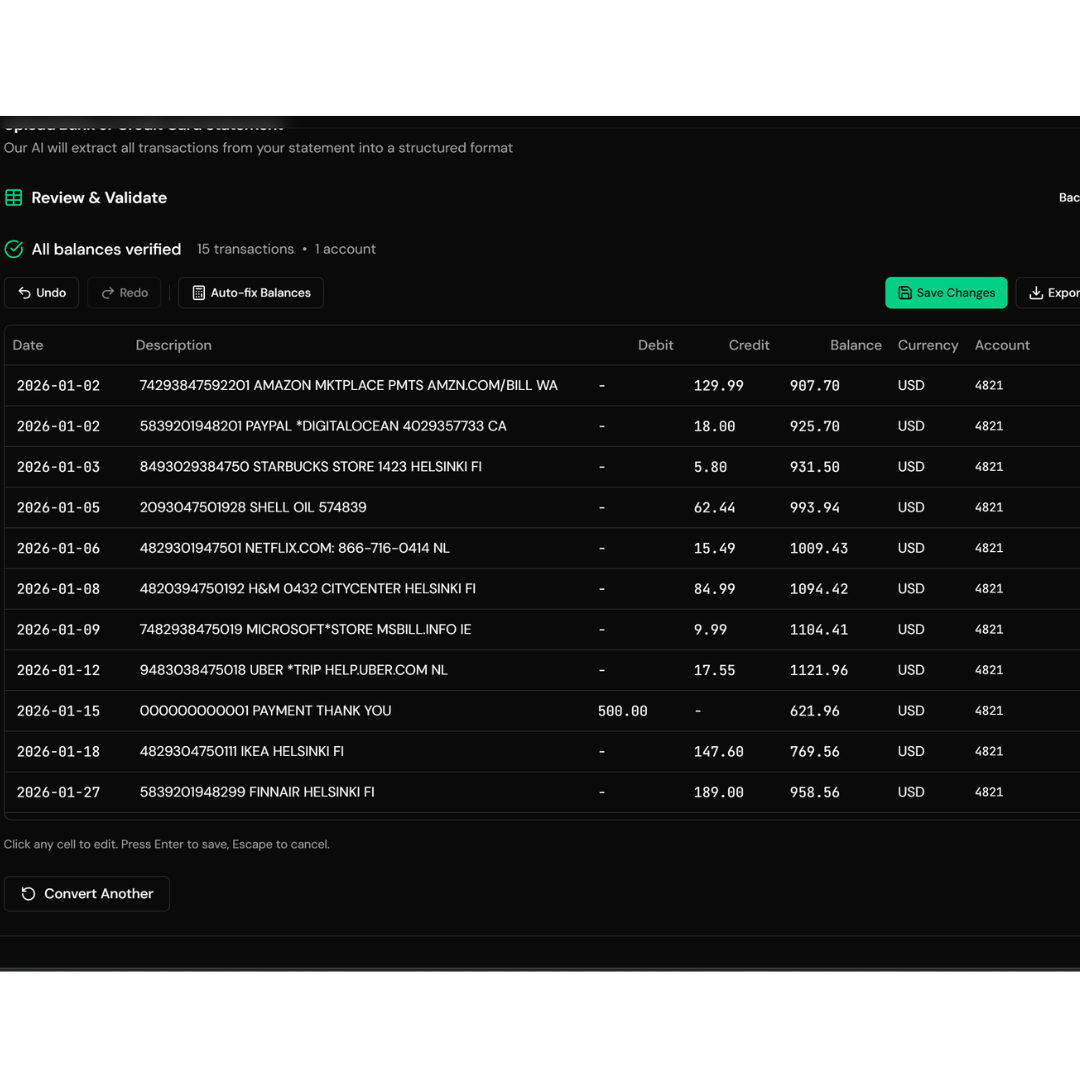
Clean structured output
You've been copying credit card statements manually because you didn't have another option.
Now you do.
Start with 3 free pages per week + 10 bonus tokens . No credit card required.
See how much time you get back.