Exact Online speaks bank statement in two dialects: SWIFT MT940 and ISO 20022 CAMT.053. Dutch business banking is built around them, and when your statements arrive that way, import is painless. The problem is everything that doesn't: PDF statements from clients, foreign banks that export OFX or CSV, consumer-tier accounts whose portals only produce PDFs, and records kept in Excel. Ledger Tome converts all of those into valid MT940 or CAMT.053 files Exact Online imports directly.
The formats are strict, and that strictness is the point: an MT940 states its own opening and closing balances, and the entries must add up between them. Ledger Tome builds files that honor this: the :60F: opening balance plus the transactions always rolls up to the :62F: closing balance when the source statement was consistent, so Exact's import gets numbers that reconcile instead of numbers that look right.
This page covers the two formats, the import steps, and the common cases: foreign accounts, client PDFs, and spreadsheet records, that need conversion on the way in.
What Exact Online Can and Can't Import
Exact Online's bank import is format-strict by regional standard:
MT940: the standard
The SWIFT statement format Dutch business banks export and Exact Online imports natively. Structured, balance-checked, unambiguous.
CAMT.053: the successor
The ISO 20022 XML statement, increasingly the default as European banking migrates off the MT formats. Exact Online imports it too.
PDF and CSV: not accepted
Statements from foreign banks, consumer accounts, and client shoeboxes arrive as PDFs and CSVs that Exact's bank import won't touch.
The coverage gap
Bank links cover major Dutch banks' business accounts. Everything outside that: foreign banks, minor institutions, historical periods, needs files.
The conversion step turns any statement into the formats Exact Online was built around.
Works With Dutch, Belgian, and Foreign Banks
Ledger Tome reads PDF statements and CSV/Excel exports from:
Dutch Banks
ING, ABN AMRO, Rabobank, SNS, Knab, bunq
Belgian Banks
KBC, Belfius, BNP Paribas Fortis, ING België
Foreign & International
100+ banks worldwide, including non-English statements, for clients and subsidiaries banking abroad
Don't see the bank? The AI adapts to any statement layout automatically.
MT940 or CAMT.053: Which Should You Import?
MT940 (the working standard)
The SWIFT customer statement format: tagged text, one :61:/:86: pair per transaction, opening and closing balances the entries must reconcile to. If your Exact workflow runs on MT940 today, keep using it; Ledger Tome's output is a clean single-statement file with the balances rolling up correctly.
CAMT.053 (the direction of travel)
The ISO 20022 XML statement replacing the MT formats across European banking. Richer structure, same statement semantics. Exact Online imports it, and Ledger Tome exports valid camt.053.001.02 with proper opening and closing balance blocks.
Practical answer: match whatever your administration already imports. Both formats come from the same preview, so switching later is a dropdown, not a project.
Format deep dives: PDF to MT940 and MT940 to Excel . Statement already MT940 but you need to read it? That second page is the one.
How to Import the File Into Exact Online, Step by Step
Importing a statement file into Exact Online:
- In Exact Online, go to the Financial module and open Bank
- Choose the import bank statements option for your edition
- Upload the .sta (MT940) or .xml (CAMT.053) file you downloaded from Ledger Tome
- Exact matches the statement to the bank account by account number; confirm it
- Process the imported statement lines and reconcile as usual
Keep one statement period per file and import chronologically. Ledger Tome writes single-statement MT940 files with the account number carried from the source, which is what Exact's account matching expects.
How Ledger Tome Prepares Statements for Exact Online
Ledger Tome is an AI-powered tool that turns PDF bank and credit card statements, CSVs, and Excel exports into valid MT940 and CAMT.053 files.
Upload
Upload the PDF statement or spreadsheet export
AI Extraction
Statement structure, columns, dates, and debit/credit logic detected automatically
Review & Edit
Check every transaction in an interactive preview before export
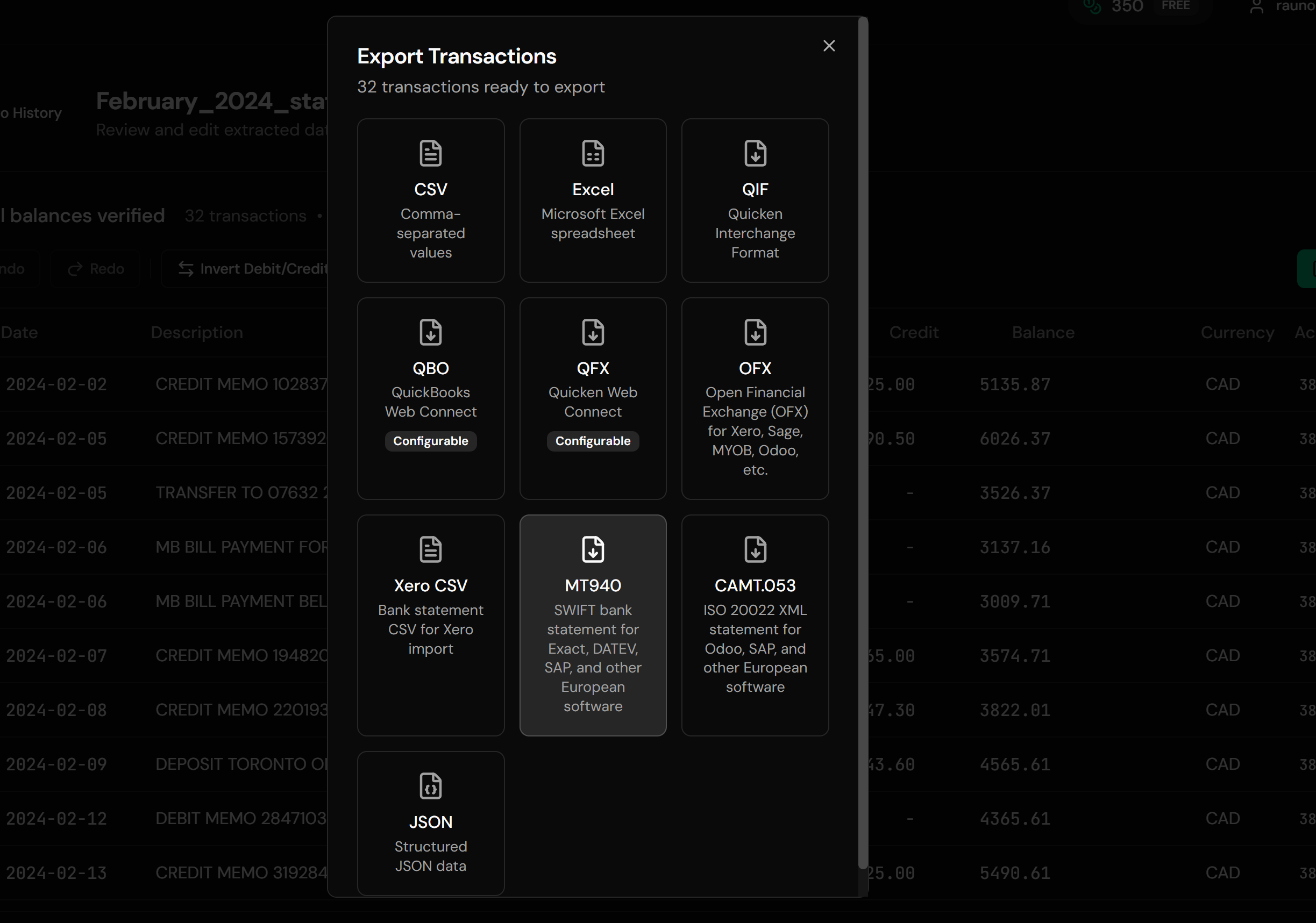
Download MT940 or CAMT.053
Balance-consistent statement files, ready for Exact
The MT940's opening balance plus its entries always reconciles to its closing balance when the source statement was consistent; the CAMT.053 carries the same guarantees in ISO 20022 form.
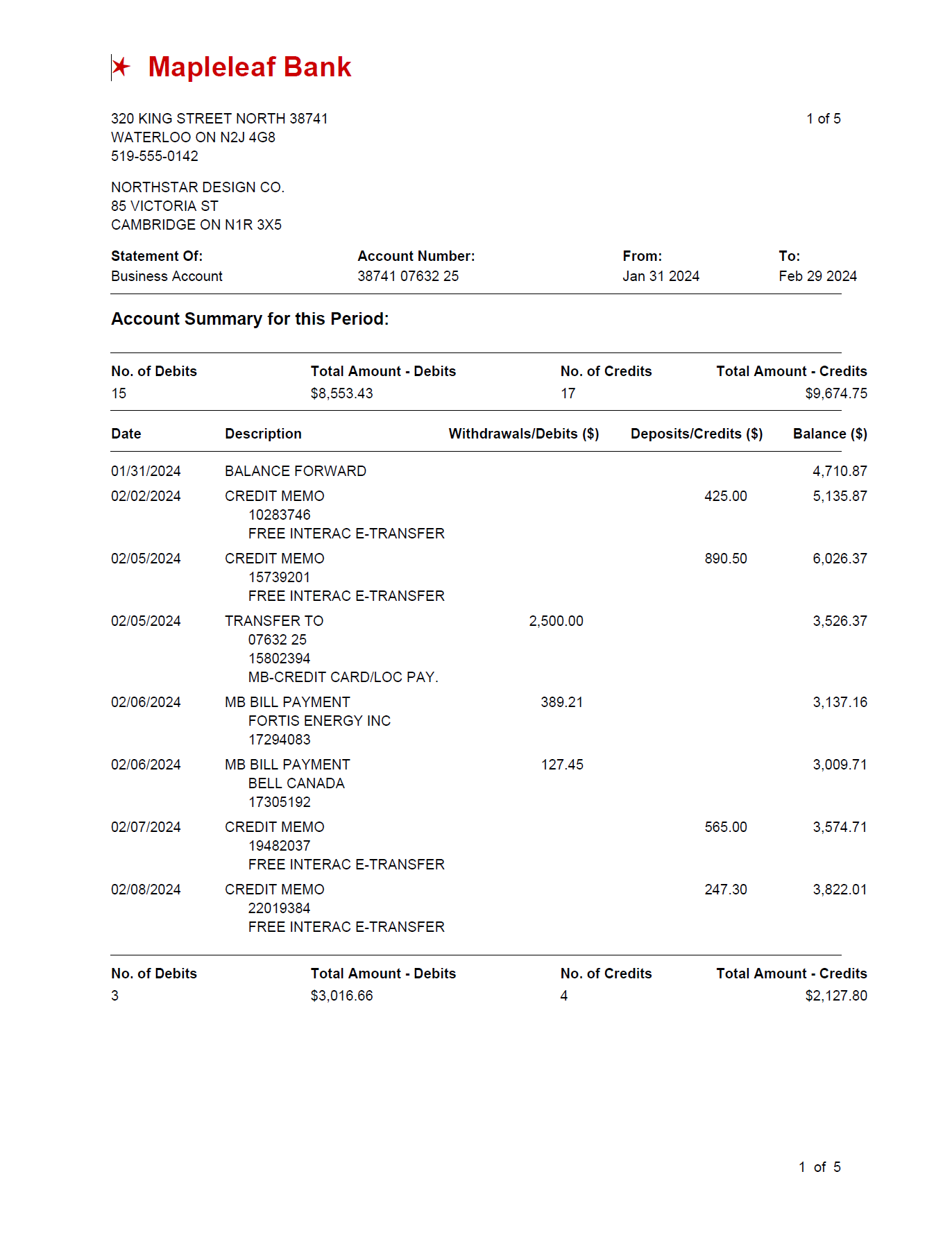
From Any Statement to Exact-Ready MT940
Before: PDF statement
After: Exact-ready MT940
Use Cases
Foreign Bank Accounts
A German, US, or UK account in the administration; its exports converted to the MT940 Exact expects.
Client PDF Shoeboxes
Administratiekantoren onboarding clients whose records are PDF statements.
Consumer-Tier Accounts
Bank portals that export PDFs only, no MT940 download in sight.
Historical Backfill
Periods from before the bank link, imported from archived statements.
Spreadsheet Records
Cash books and Excel-kept accounts turned into importable statements.
CAMT Migration Prep
Same sources, CAMT.053 output, for administrations moving to ISO 20022.
Who It's For
Administratiekantoren
Dutch bookkeeping practices processing many clients' statements.
Belgian Accountants
The same workflow, KBC and Belfius edition.
SMBs on Exact Online
Owners keeping their own administration current.
Businesses With Foreign Accounts
Where the foreign bank will never speak MT940.
Accountants Doing Catch-Up Work
History rebuilt from whatever survived.
Anyone Feeding Exact From Files
If the bank link can't reach it, conversion can.
Related Converters
Ledger Tome supports multiple formats and destinations. Choose the one that fits your workflow:
The format-first page for PDF-to-SWIFT conversion.
The reverse: reading MT940 files as spreadsheets.
UK clients on Sage? That guide.
Clients on Xero instead? The Xero import guide.
Want to review the statement in a spreadsheet first?
What Ledger Tome Does Not Do
For clarity and transparency, Ledger Tome does not:
- Access bank accounts directly
- Initiate or modify transactions
- File taxes or submit reports
- Replace accounting software
- Categorize transactions automatically
It focuses solely on converting statement data into structured, accounting-ready formats.
Security & Privacy
Your Financial Data is Protected
We take statement security seriously. Here's how we protect your data:
-
Encrypted Transmission
All uploads use 256-bit SSL encryption (the same security banks use)
-
Secure Processing
Files are processed in isolated, secure environments with no human access
-
Automatic Deletion
All uploaded files are permanently deleted after 7 days (or immediately upon request)
-
No Training Data
Your statements are never used to train AI models or shared with third parties
-
No Account Access
We never access your bank account directly or store your banking credentials
-
GDPR Compliant
Full compliance with data protection regulations
-
No Permanent Storage
We don't maintain a database of your financial information
Privacy First: We process your data solely for conversion purposes. No marketing, no data selling, no third-party sharing.
Frequently Asked Questions
How do I import a bank statement into Exact Online?
Can Exact Online import PDF bank statements?
What is an MT940 file?
Should I use MT940 or CAMT.053?
Are the balances in the file reliable?
My client's bank is foreign. Does that work?
Does this work for Belgian administrations?
Can I convert Excel-kept records into an importable statement?
What about Twinfield, SnelStart, or Moneybird?
How much does it cost?
Troubleshooting Common Issues
Exact can't match the account
Exact matches statements by account number. Check the account ID in the preview matches the administration's bank account (IBAN for Dutch accounts) before export.
Import rejected
Confirm the file extension matches the format (.sta for MT940, .xml for CAMT.053) and re-download. If a specific Exact edition still refuses, contact support with details.
Balances flagged on import
The source statement's own entries didn't reconcile (truncated or partial statement). Convert a complete statement period; the preview shows what was extracted.
Dates look wrong
A DD/MM versus MM/DD issue in a CSV source. Ledger Tome asks you to confirm ambiguous formats before export; re-check that choice.
Descriptions truncated
MT940's :86: field wraps at SWIFT's line limits (65 characters, up to 6 lines). Long descriptions are wrapped, not lost; the CAMT.053 output carries them without SWIFT's limits if you need full length.
Summary
Exact Online imports statements in MT940 and CAMT.053, the formats Dutch business banking runs on, and rejects the PDFs, CSVs, and foreign-bank exports that real administrations accumulate. Conversion closes the gap with files whose balances actually reconcile: opening plus entries equals closing, the way the formats were designed. Any statement in, Exact-ready file out.
If you have statements waiting to get into Exact Online, Ledger Tome converts them in minutes.
Ready to Get Statements Into Exact Online?
Stop retyping statement lines into the administration. Convert your first statement to MT940 in minutes.
Used by administratiekantoren, accountants, and SMBs on Exact