Every bookkeeper who's thought seriously about automation runs into the same uncomfortable question. If software can handle reconciliations, categorization, and reporting, what's left for me? It's an uncomfortable question because it sounds like job security, when it's really workflow design. The answer turns out to be more reassuring than threatening, but only if you can draw a specific line that most people gloss over.
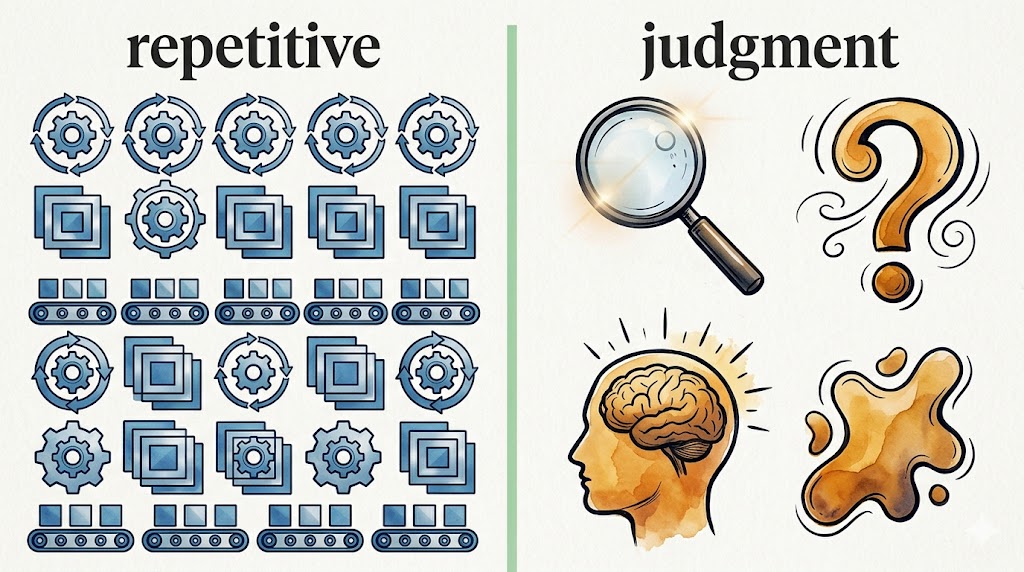
The line is between repetitive work and judgment work. Operations researchers have been drawing it for decades. It applies just as cleanly to a bookkeeping practice as it does to a factory floor.
What "repetitive" actually means
Repetitive work isn't work that happens often. That's a common mix-up, and it leads to bad automation decisions. Bank reconciliation happens every month, but most of the steps inside a reconciliation aren't repetitive in the meaningful sense.
The meaningful definition: repetitive work is work where the same input produces the same output, every time, without any context-specific decision in the middle. Transcribing a number from a PDF into a spreadsheet is repetitive. The PDF shows three hundred forty-two dollars and seventeen cents. You type three four two seventeen. There's no decision. There's no judgment. The output is fully determined by the input, and any deviation is a mistake.
This is the work software handles cleanly. Computers don't get bored. They don't have off days. They don't slip on the fourteenth row when attention drifts.
Reformatting dates is repetitive. Converting between file types is repetitive. Splitting a comma-delimited string into columns is repetitive. Removing extra whitespace is repetitive. None of these tasks require knowing anything about the client, the industry, the tax year, or the strategic posture of the business. They just require following a deterministic rule, without ever getting tired.
What "judgment" actually means
Judgment work is work where the right answer depends on context the inputs alone can't fully describe. Looking at a vendor name and deciding whether the expense belongs in office supplies or in client gifts depends on what the client actually bought, why, and how their tax strategy treats those categories. Two clients with the identical receipt might warrant different categorizations.
Spotting an unusual transaction and deciding whether it deserves a follow-up email or a flag in the file is judgment. Recognizing that a string of small charges over three months follows a subscription pattern the owner didn't realize was active is judgment. Knowing that the way a particular client logs travel expenses needs cleaning up before quarter-end because of an upcoming audit is judgment.
Judgment work is what clients are actually paying for, even when they think they're paying for the data entry.
The rule that follows
Automate the repetitive work without hesitation. Protect the judgment work from automation even when it looks tempting to streamline.
The first half is easy to accept. Anything that meets the repetitive definition should be off your plate as soon as you can manage. Manual data entry from PDFs into accounting software is the textbook case. So is reformatting bank exports to match an import template. So is splitting combined statements into separate files per account. None of this benefits from your expertise. All of it benefits from being handed to a tool.
The second half is harder, and it's the more important half. Once you've automated the repetitive steps, resist the temptation to let software run the judgment steps too. Tools will offer to auto-categorize transactions, auto-classify unusual entries, auto-respond to client questions. Some of these features are useful as assistants. None should run unsupervised in a workflow someone is paying you to oversee.
The asymmetry is what makes the difference. If software handles the data entry and you check it, you save time and the cost of a missed error is small. If software handles the categorization and you skip the check, the cost of a missed error can be a tax penalty, a misled business owner, or a relationship that ends after a hard conversation.
Where statement conversion lives on this line
The clearest place to apply the rule is bank and credit card statement processing. The workflow has natural break points that map almost perfectly to the two categories.
The first stage, turning a PDF statement into structured transaction data with dates, descriptions, and amounts in clean columns, is pure repetitive work. There's no judgment involved. The numbers on the page are the numbers. The only question is how reliably the conversion handles edge cases like multi-column layouts, weird date formats, or low-resolution scans.
This is what Ledgertome and similar conversion tools are built for. PDF in, structured file out, CSV, QBO, Excel, QIF, or JSON. The repetitive portion of the work is finished without your involvement.
The second stage, taking that structured data and turning it into properly categorized, fully reconciled books, is judgment work. Categorization rules might handle most of it automatically, but they need a professional eye. A transaction labeled "AMZN Mktp" might be office supplies for one client and inventory cost-of-goods for another. A duplicate-looking entry might be a legitimate split payment that needs to stay, or a true duplicate that needs to go. This is where your hourly rate is justified.
When you split the workflow cleanly across the line, two things happen. Throughput goes up because the repetitive stage stops being the bottleneck. And the quality of the judgment stage improves because you're bringing fresh attention to it instead of arriving exhausted from forty-five minutes of typing.
A quick test for your own workflow
Walk through your typical client-month. For each step, ask three questions.
Is the right output of this step fully determined by the input? If yes, repetitive. If the right output depends on context the input doesn't capture, judgment.
Would two professionals doing this step ever produce different outputs and both be correct? If yes, judgment. If different outputs would mean one of them made a mistake, repetitive.
Do I need to know anything about the client, the industry, or the business to do this step well? If yes, judgment. If no, repetitive.
Every step you mark as repetitive belongs on the "automate as soon as possible" list. Every step you mark as judgment belongs on the "protect from automation" list.
There's a worry underneath this. If the repetitive work goes away, what's left to justify the fees? The honest answer is the reverse. When repetitive work goes away, judgment work becomes more visible to clients, which justifies higher fees, not lower ones. Clients who watch you spend three hours on data entry think they're paying for data entry. Clients who watch you spend twenty minutes on a converted file and then deliver a clear, categorized report think they're paying for expertise. Same work. Different perceived value.
The rule isn't really about productivity. It's about positioning. Stop doing the work that anyone can do. Let your hours go where only you can do them.
Visit Ledger Tome